Almost every iPhone owner has done the same thing at some point. You open Settings, tap Battery, tap Battery Health and Charging, and stare at a number. Maybe it says 92%. Maybe 85%. Maybe 78%. Then comes the harder question: is that good, is that bad, and does it actually matter?
The answer is not as simple as the Apple engineering team makes it look. The Maximum Capacity figure is a genuinely useful metric, but it also hides a lot of technical detail behind a friendly percentage. What does iPhone battery health percentage mean when you drill into the electrochemistry? Why does iOS sometimes throttle a phone with healthy numbers? And is 85% battery health bad enough to warrant a trip to a repair specialist?
This guide answers those questions properly, without marketing fluff. It covers what iOS actually measures, how lithium-ion chemistry ages, when the percentage stops telling the whole story, and how to know when your device genuinely needs professional attention. As an Apple-only workshop, we see the full spectrum of battery problems every week, from confused new iPhone 17 owners to iPhone 11 users whose devices have been shutting down cold for six months.
What Maximum Capacity Actually Measures
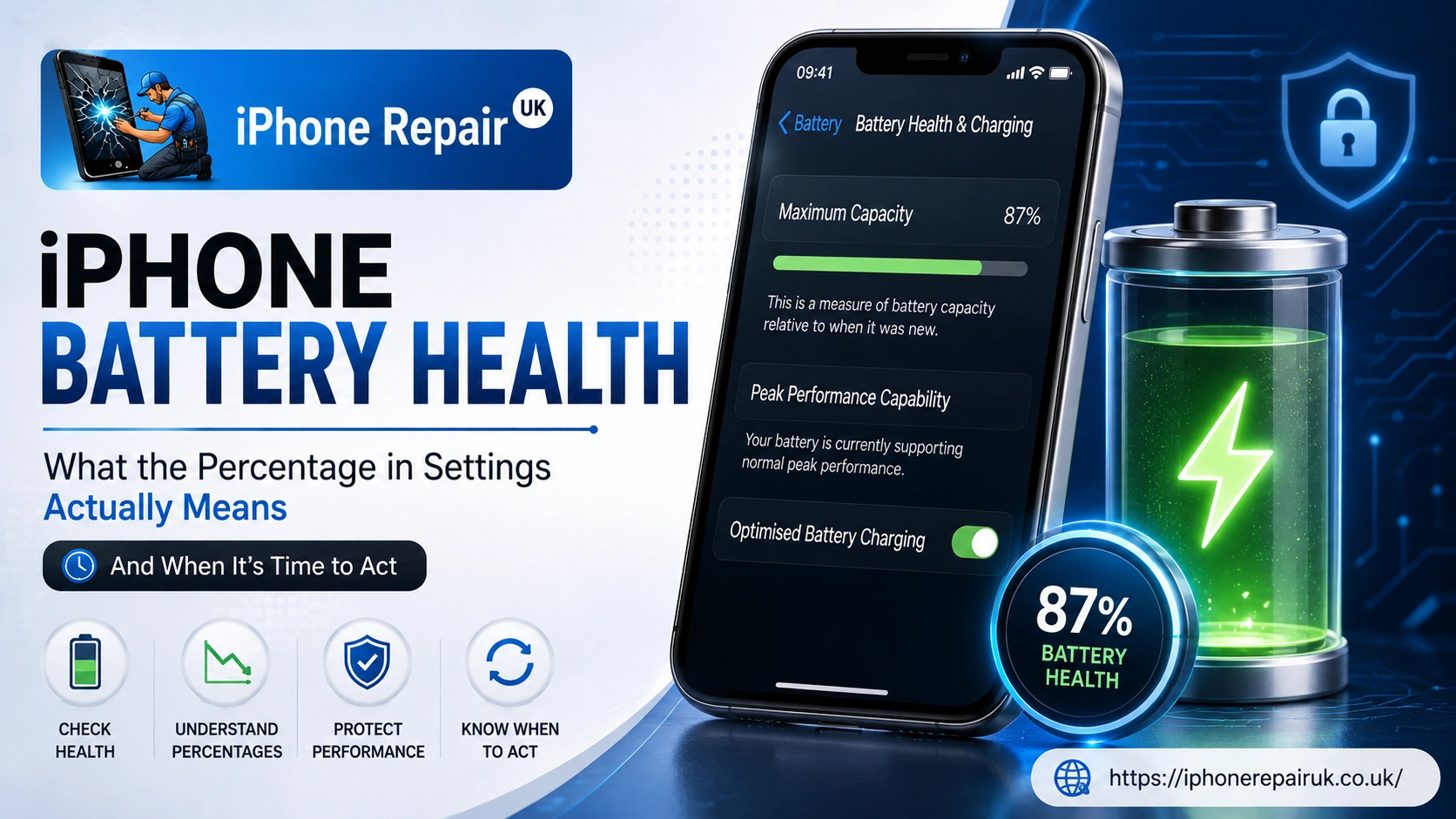
Open Settings, Battery, then Battery Health and Charging. The percentage next to Maximum Capacity is not a fuel gauge. It is a ratio. Specifically, it compares the amount of charge your battery can currently store to the amount it could store when it left the factory.
A brand new iPhone reads 100%. This does not mean the battery is at full charge — that is the separate percentage on the lock screen. It means the battery has retained 100% of its original design capacity. As the cells age chemically, that ratio drops. An iPhone reading 85% Maximum Capacity is telling you that its battery now holds roughly 85% of the energy it did when it was new. Everything else being equal, that translates to about 15% less screen-on time between charges.
The figure is deliberately smoothed. iOS does not update it every hour. It reassesses the underlying data periodically, usually after full charge cycles or system events, so the number changes in small step-jumps rather than continuously. This is why some users see their battery health hold steady for months, then drop two or three points seemingly overnight. That drop is not sudden damage. It is iOS catching up with degradation that was already happening in the background.
Where iOS 26 Shows Battery Health on Your iPhone
On any supported iPhone running iOS 26, the path is Settings, Battery, Battery Health and Charging. What you see next depends on your model.
On an iPhone 15, 16, 17, or iPhone Air, you get the Maximum Capacity percentage, an exact numerical Cycle Count, the Peak Performance Capability status, a configurable Charge Limit settable from 80% to 100% in 5% increments, and Optimised Battery Charging. On an iPhone 14 or earlier, Cycle Count is not shown in Settings by default — you still get Maximum Capacity, Peak Performance Capability, and Optimised Battery Charging. On the iPhone 17 series and iPhone Air, Adaptive Power Mode is enabled by default under Settings, Battery, Power Mode. On iPhone 15 Pro, 15 Pro Max, and all iPhone 16 models with Apple Intelligence support, it is available but off by default.
If your device is stuck on an older iOS release, some of these panels will be missing entirely. Battery Health as a feature first appeared in iOS 11.3, and the current settings layout took shape from iOS 17.4 onwards, when Apple moved the Cycle Count out of the diagnostics logs and into the main Battery menu for iPhone 15 models. If you cannot see any of this, your iPhone likely needs a software update before it needs a battery.
The Chemistry Behind the Falling Percentage
To understand iPhone battery degradation properly, you need a short lithium-ion primer. Every iPhone battery is a rechargeable lithium-ion cell. Inside, lithium ions shuttle between a graphite anode and a lithium metal oxide cathode through a liquid electrolyte. Charging pushes the ions one way. Discharging lets them return. Each round trip does a small amount of chemical damage.
Three things are happening as the cells age. First, loss of active lithium — some lithium ions become trapped in a thin layer that forms on the anode called the solid electrolyte interphase. Once trapped, they can no longer carry charge, and this is the single biggest reason your Maximum Capacity figure falls. Second, structural fatigue of the electrodes — repeated ion insertion and removal causes microscopic cracking in the electrode materials, and cracked material stores less energy while exposing fresh surfaces that consume more lithium. Third, rising internal impedance — as the cells age, their internal electrical resistance climbs, and this is the hidden metric that iOS cares about almost more than capacity because a battery can still hold a reasonable charge but struggle to deliver current quickly when the processor demands it.
Apple’s newer iPhone 15, 16, and 17 batteries use refined chemistry and, in some later models, silicon-carbon anode components that slow this ageing significantly. This is why Apple now rates iPhone 15 and later models to retain 80% of original capacity after 1,000 complete charge cycles under ideal conditions — double the 500-cycle rating still applied to iPhone 14 and earlier.
Reading the Percentage: What Each Band Actually Means
Here is what each rough band corresponds to in practice. These are guidance thresholds rather than fixed rules, because real-world behaviour depends heavily on how your device is used.
100% to 95% means the battery behaves as new and all-day usage is comfortably achievable — no action needed. 94% to 90% means a slight reduction in edge cases such as long video shoots or gaming sessions, though most users notice nothing — keep an eye on trends but no action needed. 89% to 85% means a noticeable reduction on heavy days and the battery may sag under high load — monitor and adjust charging habits. 84% to 80% means a clear reduction in screen-on time with the first unexpected shutdowns possible on older models in cold weather — consider replacement especially before a busy travel period. Below 80% is Apple’s official replacement threshold where performance management may activate — book a professional battery replacement. Below 70% means substantial degradation and a poor real-world experience — replace as soon as practical.
Charge Cycles: The Metric That Tells You More Than Percentage
A charge cycle is not the same as a charge session. Apple defines one full cycle as the cumulative discharge of 100% of the battery’s capacity. If you use 60% on Monday and 40% on Tuesday, that counts as one cycle, not two. If you top up from 90% to 100% eleven times, that is roughly one cycle.
For iPhone 15 and later, Cycle Count appears directly in Battery Health and Charging as a whole number. This is quietly the most useful diagnostic on the whole screen. Two examples clarify why. An iPhone 15 Pro reading 88% Maximum Capacity at 420 cycles has aged prematurely — something is wrong, whether excessive heat, aggressive charging habits, or possibly a manufacturing issue worth investigating under warranty. An iPhone 15 Pro reading 88% Maximum Capacity at 920 cycles has aged exactly as designed and that battery is doing its job. The same 88% figure means very different things depending on what it took to get there.
For pre-iPhone 15 models, you can still find the cycle count buried in Settings, Privacy and Security, Analytics and Improvements, Analytics Data, inside the most recent log file. Look for the MaximumCapacityPercent and CycleCountLast values. It is fiddly but it is genuine on-device data.
Peak Performance Capability: The Five Messages iOS Displays
Below Maximum Capacity, iOS shows a message under Peak Performance Capability. This is where the software tells you what it thinks of the battery’s ability to deliver power under load. There are five possible messages and their meanings are quite different.
The first message, “Your battery is currently supporting normal peak performance,” is the best case — the battery is holding voltage under load and no throttling is being applied. The second is performance management applied, which means iOS detected at least one unexpected shutdown caused by the battery failing to supply required peak power, and throttling is now active — apps launch slightly slower and demanding tasks are smoothed rather than spiked. The third is performance management turned off, meaning you or a previous owner manually disabled throttling after it was applied. The fourth, “Your battery’s health is significantly degraded,” means iOS considers the battery no longer capable of providing a good experience and replacement is recommended — this does not indicate a safety fault, just a serviceable end of life. The fifth, “Unable to verify this iPhone has a genuine Apple battery,” means the battery is not recognised as Apple original, which can be caused by non-genuine parts, damaged flex cables during a previous repair, or occasional software glitches after major iOS updates.
Message five is the one to watch if you have had a repair done cheaply elsewhere. On iPhone XS and later, iOS runs a hardware handshake with the battery’s controller. A non-genuine or improperly paired battery triggers the warning even if the cell is physically fine. Any Apple specialist worth booking should be able to fit a battery that keeps the verification message clean.
How iOS Throttling Actually Works
The word throttling carries a lot of baggage from Apple’s 2017 disclosure controversy. What iOS actually does is more nuanced than simply slowing down old phones on purpose. The system continuously reads three variables: current battery temperature, current state of charge, and the battery’s measured impedance. When those variables combine to suggest the battery cannot safely deliver a demanded burst of power, iOS spreads the workload out.
The visible symptoms, all documented in Apple’s own guidance, include longer app launch times, lower frame rates while scrolling, backlight dimming which you can override in Control Centre, speaker volume reduction by up to 3 dB, gradual frame rate reductions in some apps, and disabling of the camera flash in extreme cases. Apps refreshing in the background may need to reload when opened.
Crucially, iOS throttling only kicks in after at least one unexpected shutdown has already occurred. If your phone has never suddenly powered off despite showing 15% or 20% remaining, throttling is almost certainly not active on your device. Areas that are never affected include mobile call quality, photo and video capture quality, GPS accuracy, sensor readings, and Apple Pay.
When the Percentage Lies (And Physical Symptoms Take Over)
The Maximum Capacity figure is a useful summary, but it is not the last word on whether your battery needs replacing. Several situations produce misleadingly high readings on batteries that are functionally finished.
Sudden shutdowns at 30% or 40% mean a battery is failing under load, not by capacity — iOS reports a higher percentage because the total energy store is still substantial, but the impedance is now too high to sustain peak draws. Rapid drops after normal top-ups, where a phone goes from 100% to 80% in twenty minutes of light use, indicate calibration or cell balance issues that the summary metric cannot express. Case bulging or screen lift is a safety concern — lithium-ion cells generate gas as they degrade and a swollen battery can push the display away from the frame, so you should stop using the device and get it inspected immediately. Excessive heat during normal tasks means a degraded battery has higher internal resistance producing more heat for the same current draw, and if routine browsing feels like the phone is running a heavy game the battery is likely the cause.
Why Two Phones at 82% Behave Completely Differently
This one confuses even experienced iPhone owners. Two phones of the same model with identical Maximum Capacity figures can feel wildly different in day-to-day use. The answer lies in cell-to-cell variation and load history.
Lithium-ion cells are individually characterised at the factory, but no two are identical. Impedance climbs at different rates depending on how each cell has been treated: charging speed, average state of charge, temperature history, and how often the cell has been driven to extremes. A phone that has spent two years in a hot car dashboard will feel worse at 82% than a phone that has lived on a bedside table at moderate temperatures.
The other factor is peak power delivery. iOS 26’s performance management reads real-time voltage sag. A phone with the same nominal capacity but slightly higher impedance will trigger throttling sooner and more aggressively, producing a subjectively worse experience even with identical numbers on the screen. If your phone reads 82% but feels significantly slower than a friend’s device at the same figure, the problem is impedance, not capacity, and only a physical replacement will fix it.
iOS 26 Charging Tools: Charge Limit, Optimised Charging, Adaptive Power
iOS 26 gives newer iPhone owners three related tools for slowing battery ageing. Each does something different.
Optimised Battery Charging learns your daily routine and holds charging at 80% overnight, completing the last 20% just before your usual wake time. This reduces the amount of time the cells spend at 100%, which is the highest-stress state for lithium-ion chemistry. It is available on all recent iPhone models and is on by default.
Charge Limit available on iPhone 15 and later gives you a manual cap settable to 80%, 85%, 90%, 95%, or 100%. Lower limits slow ageing more aggressively at the cost of daily runtime. iOS can also suggest an optimal limit based on your usage patterns. For daily commuters who rarely use more than 60% of their battery, an 85% or 90% cap has almost no downside.
Adaptive Power Mode available in iOS 26 uses Apple Intelligence to predict heavier-than-usual battery drain and pre-emptively makes small adjustments including slight brightness reduction, background task deferral, and automatic Low Power Mode activation at 20%. It requires roughly seven days to learn your patterns after enabling. It is on by default for iPhone 17, iPhone 17 Pro, iPhone 17 Pro Max, and iPhone Air, and opt-in for iPhone 15 Pro, 15 Pro Max, and all iPhone 16 models.
These tools slow ageing, but they cannot reverse it. If your Maximum Capacity has already dropped below 80% and performance management has activated, no charging setting will restore full performance. That requires a fresh cell.
When Battery Replacement Is Genuinely Warranted
Combining all of the above, here is a practical decision framework for iPhone battery replacement.
Replace now if Maximum Capacity is below 80% and you find the daily battery life unacceptable. Replace if Peak Performance Capability shows significantly degraded or performance management is applied and you feel the throttling. Replace if the phone shuts down unexpectedly at charge levels above 20%. Replace if the device is visibly swollen, warm to the touch during light use, or the display has started lifting from the frame. Replace if you are on an iPhone 11 or older and battery anxiety is limiting how you use the device — a fresh cell can transform an older phone for another year or two of comfortable service.
Monitor for now if Maximum Capacity is between 80% and 85%, the phone still gets through your typical day, and Peak Performance Capability reads normal. Also monitor if Cycle Count is high but Maximum Capacity is still healthy for the age of the device, or if you are considering an upgrade within six months anyway and current performance is tolerable.
Address underlying causes if your battery is degrading unusually fast for the age of the device — third-party chargers are the single most common culprit and the risks of cheap third-party chargers are worth understanding before you plug in another budget cable.
What a Professional Apple Battery Replacement Should Include
A proper Apple battery replacement is more than swapping a cell. The following steps should be part of any competent service.
Pre-repair diagnostics covering the current Maximum Capacity, Cycle Count, and Peak Performance Capability messages plus a visual inspection of the battery bay, chassis, and existing adhesive. A genuine or high-grade replacement cell — for iPhones covered by Apple’s Self Service Repair supply chain a genuine cell should keep the unable to verify warning off, and for older devices where genuine parts are no longer produced, high-grade replacement cells matched to the original specification are the professional standard. Correct adhesive replacement, since the battery is held in place with pull-tab adhesive that also contributes to the water resistance seal on modern iPhones and reusing old adhesive or skipping this step is a red flag. Battery health data initialisation so on iPhones with battery pairing the new cell is introduced to the phone’s serial-locked pairing process and Maximum Capacity and Cycle Count start reporting accurately from day one. Post-repair calibration through full charge and discharge cycles that help iOS establish accurate readings, which can take a few days of normal use. Verification of Face ID, True Tone, and haptics since these systems share cables and connections near the battery bay and a careful workshop checks them all before returning the device.
Booking an Apple Battery Replacement in Newport
iPhone Repair UK is an Apple-only workshop on Commercial Street in Newport, a two-minute walk from Friars Walk and John Frost Square, and a short walk from Newport train station. We work exclusively on iPhone, iPad, MacBook, and Apple Watch, which means every battery service we complete uses the correct adhesive, the right tooling, and technicians who fit multiple iPhone batteries every day rather than every few weeks.
Every repair starts with a free diagnostic. If your Maximum Capacity, Cycle Count, or Peak Performance Capability messages point to replacement, you get a fixed quote before any work begins and pay only on completion. Most iPhone battery replacements are completed the same day, often within an hour of drop-off, so you can continue with your day around Kingsway or Commercial Street while we get on with it.
To book, or to get a written quote before you commit, you can call 01633 549755, WhatsApp 07424 623491, or drop into our workshop at 39 Commercial Street, Newport, NP20 1HP. Our opening hours are Monday to Saturday 9am to 6pm, and Sunday 11am to 4pm. You can also send a message via our contact page to get a free diagnostic quote before you visit.
Frequently Asked Questions
What Does iPhone Battery Health Percentage Mean in Plain Terms?
It is the ratio of your battery’s current energy storage capacity to its original factory capacity. A phone at 85% holds roughly 85% as much charge as it did when new. It is not your current charge level and it is not a health score in a medical sense.
Is 85% Battery Health Bad?
Not by itself. On an 18-month-old iPhone used daily, 85% is normal. On a six-month-old phone, it suggests either unusual usage patterns, heat exposure, or a manufacturing issue worth investigating.
Should I Replace My iPhone Battery at 80%?
80% is Apple’s official replacement threshold, but the real decision depends on how the phone actually behaves. If it comfortably gets you through the day and Peak Performance Capability reads normal, you can safely wait. If it shuts down unexpectedly or feels sluggish, replace it.
Why Did My Battery Health Drop Suddenly After an iOS Update?
iOS occasionally recalibrates its estimate of Maximum Capacity, especially after major releases. A visible drop usually reflects existing degradation catching up to the display, not new damage caused by the update.
Can I Improve My iPhone Battery Health Percentage?
No. The Maximum Capacity figure only ever goes down or stays flat. Charging habits and iOS 26 tools like Charge Limit and Adaptive Power slow further ageing, but they cannot recover lost capacity. That requires a physical replacement.
How Many Years Should an iPhone Battery Last?
For iPhone 15 and later, Apple designs the batteries to retain 80% capacity at 1,000 complete cycles under ideal conditions, which translates to roughly three to four years for typical users. For iPhone 14 and earlier, the design target is 500 cycles, or roughly two years of heavy use.
Does Replacing the Battery Make My iPhone Faster?
Only if performance management was previously active due to a degraded battery. In that case, a fresh cell removes the throttling and restores full performance. If your battery reads normal under Peak Performance Capability, a new battery gives you longer runtime but not a speed increase.