Your iPhone is a precision machine — and like any machine, it has one weak link that degrades on a predictable schedule: the battery. Most people notice their phone getting worse over time and assume it’s just “getting old.” Nine times out of ten, it’s the battery.
The good news? You don’t need a new phone. An iPhone battery replacement is one of the most cost-effective repairs you can make — and when done right, it can make a two- or three-year-old iPhone feel brand new again.
This guide covers every warning sign your battery is sending you, what the science behind battery aging actually means, and exactly what to do about it. If you’re in Newport or the surrounding area, we’ll point you in the right direction at the end.
How to Check Your iPhone Battery Health Right Now
Before you read anything else, take 30 seconds and do this:
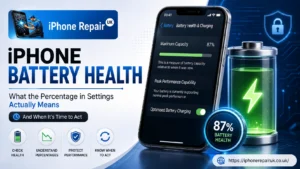
Go to Settings → Battery → Battery Health & Charging.
Look at the “Maximum Capacity” percentage. That number tells you how much charge your battery can hold compared to when it was brand new.
100% – 80%: Normal range. Your battery is in good working order.
Below 80%: Apple officially considers this degraded. This is the threshold where most people start noticing real-world problems.
Below 70%: Significant degradation. You’ll almost certainly be dealing with shutdowns, throttling, and poor daily battery life.
If your number is below 80%, keep reading — every sign below applies directly to you.
9 Signs Your iPhone Battery Needs Replacing
1. Your iPhone Battery Health Is Below 80%
This is the clearest, most objective sign. Apple’s own guidance confirms it: once your battery’s maximum capacity drops below 80%, it’s considered chemically spent. For iPhone 14 and older models, this typically happens after around 500 full charge cycles — roughly two years of normal use. iPhone 15 models have improved chemistry and can reach 1,000 cycles before hitting that threshold.
Below 80% doesn’t just mean shorter battery life. It means your phone physically cannot deliver the power output it once could. Everything else on this list flows from that.
2. Your iPhone Shuts Down Unexpectedly
This one catches people off guard. Your phone shows 25% battery remaining — then it just dies. You plug it in and it powers straight back on. What’s happening?
An aging battery develops high internal resistance. During processor-intensive tasks — opening the camera, launching a game, loading a complex webpage — the demand for power spikes sharply. A degraded battery can’t meet that spike cleanly, causing a voltage drop. To protect the device’s circuitry from that unstable power delivery, iOS shuts the phone off immediately.
It’s a safety mechanism, not a bug. But it’s also a clear signal that your battery can no longer handle real-world workloads.
3. The Battery Drains Noticeably Fast
If you’re charging your iPhone two or three times a day, or if the battery percentage drops sharply while the screen is off, the cells have lost their ability to hold a meaningful charge. A healthy battery should comfortably get most users through a full day. When yours barely makes it to lunch, that’s not a settings problem — it’s a chemistry problem.
Pay attention to standby drain in particular. A healthy battery loses very little charge when the phone isn’t actively being used. If yours is dropping 10–15% overnight with nothing running, the battery is struggling.
4. Your iPhone Feels Sluggish and Slow
This one surprises a lot of people: iOS intentionally slows down your iPhone when the battery is degraded.
It’s called Performance Management — Apple introduced it to prevent the sudden shutdowns described above. By reducing the maximum clock speed of the processor, iOS lowers the peak power demand and keeps the phone stable. The result is apps that take longer to open, choppy scrolling, slower Face ID, and a general feeling that your phone has aged years overnight.
The fix isn’t a factory reset. It’s a new battery. Fit a healthy battery and iOS lifts the performance cap automatically — no settings to change, no restore needed.
5. Your iPhone Only Works When Plugged In
At its extreme, a severely degraded battery stops functioning as a battery at all. The phone works fine on charge but dies within minutes — or immediately — when unplugged. At this point, the battery has essentially become a pass-through device.
If you’re at this stage, don’t wait another day. A battery that can no longer hold any charge is much more likely to have developed other issues, and continued charging puts unnecessary stress on the device.
6. Charging Takes Much Longer Than It Used To
Slow charging is often chalked up to a dodgy cable or a weak adapter. Rule those out first — check with a different cable and a proper Apple-certified charger. If the charging speed is still crawling, the battery itself may have degraded to the point where it absorbs charge inefficiently.
Also worth noting: if your phone gets unusually hot while charging, that’s the battery generating heat from increased internal resistance. Normal charging produces minimal warmth. Excessive heat during charging is a red flag.
7. Your iPhone Overheats During Normal Use
iPhones run warm during intensive tasks — extended gaming, video recording, GPS navigation. That’s expected. What’s not normal is your phone getting hot during a 10-minute WhatsApp conversation or while reading the news.
A failing battery has higher internal resistance, which means it works harder to deliver even modest amounts of power. That extra effort generates heat. According to Apple, the safe operating temperature for an iPhone is between 0°C and 35°C. If your phone is regularly exceeding that range during everyday use, the battery is the likely cause.
Persistent overheating also accelerates further battery degradation — it becomes a self-reinforcing cycle that shortens the battery’s remaining useful life faster.
8. You See a Battery Warning Message in Settings
Apple added an explicit degradation warning in iOS 12. If you navigate to Settings → Battery → Battery Health & Charging and see a message reading “Your battery’s health is significantly degraded” — that’s Apple telling you directly: it’s time.
This message appears when the battery has deteriorated to a point where Apple’s own diagnostic system flags it as a service item. Unlike the 80% capacity threshold, which you have to check manually, this message is pushed to you automatically. If you’re seeing it, don’t dismiss it.
9. Your Screen Is Separating or the Case Is Bulging
This is the most urgent sign on this list, and it requires immediate action.
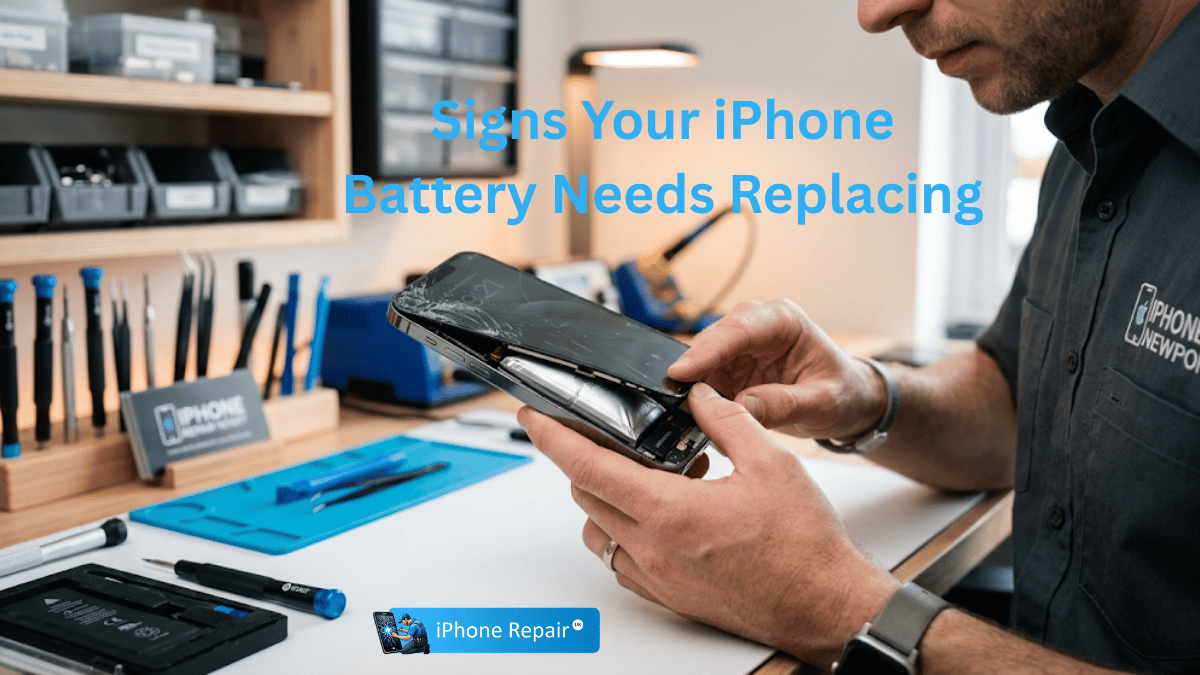
Lithium-ion batteries that have been through heavy degradation can begin to swell — a process called thermal runaway in its early stages. As gas builds up inside the battery cell, it physically expands. In an iPhone, the first place you’ll notice it is a small gap appearing between the screen and the frame, or a slight outward bow in the back of the device.
A swollen battery is not just a performance issue. Left unchecked, it can:
- Crack the display from internal pressure
- Damage the logic board and other internal components
- Pose a genuine safety risk — a severely swollen battery can leak or, in rare cases, catch fire
If your iPhone’s body feels uneven, the screen appears to be lifting, or you can see daylight between the display and the frame, stop using the phone and get it to a repair specialist immediately. Do not attempt to charge it further.
Why You Shouldn’t Wait to Replace It
People put off battery replacements for all sorts of reasons — cost, inconvenience, “I’ll just get a new phone soon anyway.” Here’s why those reasons rarely hold up:
A replacement extends your phone’s life by 2–3 years. A battery swap on an iPhone 12 or 13 costs a fraction of what a new handset does, and it gives you a device that performs like it did when you first got it. For most people, it’s the single best-value repair available.
Performance throttling disappears instantly. The moment a healthy battery is installed, iOS removes all performance caps. If your phone has felt sluggish for months, the transformation after a battery replacement can be striking.
Swollen batteries get worse, not better. There is no “managing” a swollen battery. Every charging cycle adds more risk. The longer you wait, the more likely it is that a simple battery replacement turns into a screen replacement, a logic board repair, or a write-off.
Your iPhone’s resale value depends on it. A phone with a battery reading of 76% sells for significantly less than one at 90%+. If you’re planning to trade in or sell, a fresh battery pays for itself in the increased value.
What Happens After an iPhone Battery Replacement?
Most people are surprised by how dramatic the difference is. After a professional Apple battery replacement, you can typically expect:
- Battery life restored to near-original levels — most users comfortably get through a full day again
- Performance throttling lifted — apps open faster, scrolling is smoother, the phone just feels snappier
- Battery health reading reset to 100% (or close to it, with a genuine replacement battery)
- Accurate battery percentage readings — no more phantom shutdowns at 30%
- Cooler operating temperatures during normal use
The repair itself, performed by a professional, takes under an hour in most cases and does not affect your data.
How to Slow Battery Degradation (Before You Need a Replacement)
If your battery is still in good shape, these habits will keep it that way longer:
Follow the 20/80 rule. Try to keep your battery between 20% and 80% charged. Regularly charging to 100% and running it completely flat puts more stress on the cells. Apple’s Optimised Battery Charging feature does much of this automatically — make sure it’s turned on in Settings → Battery → Battery Health & Charging.
Keep it cool. Heat is the single biggest enemy of lithium-ion battery chemistry. Don’t leave your iPhone in direct sunlight, on a hot dashboard, or under a pillow while charging. Even ambient heat significantly accelerates capacity loss.
Watch background activity. Background App Refresh, always-on location services, and push email all quietly drain the battery around the clock. Audit these in Settings and disable anything you don’t need running continuously.
Use the right charger. A genuine Apple charger or MFi-certified accessory charges more cleanly than cheap third-party alternatives, which can cause irregular charging patterns that stress the battery.
Frequently Asked Questions
Q: Is 76% or 78% battery health actually a problem?
A: Yes. Both figures are below Apple’s 80% threshold, meaning your battery is officially degraded. You will likely be dealing with reduced battery life, possible performance throttling, and a higher risk of unexpected shutdowns. At this level, an iPhone battery replacement is the right call.
Q: What is the average lifespan of an iPhone battery?
A: Most iPhone batteries retain 80% of their original capacity after 500 full charge cycles — which translates to roughly 18 months to two years of typical use for iPhone 14 and earlier. iPhone 15 models are rated for 1,000 cycles. Heavy users who charge daily and run power-intensive apps will hit that threshold sooner.
Q: Is it OK to leave your iPhone charging overnight?
A: It’s not ideal for long-term battery health, but Apple’s Optimised Battery Charging feature mitigates most of the risk. It learns your routine and pauses charging at 80% until just before you typically wake up. If this feature is enabled, overnight charging is generally fine. Just make sure the phone isn’t covered while charging — trapped heat is the real problem.
Q: What secretly drains an iPhone battery the most?
A: The biggest culprits are: screen brightness, 5G connectivity in weak signal areas (your phone works harder to maintain a connection), Background App Refresh, location services running for multiple apps simultaneously, and push email on multiple accounts. Check Settings → Battery for a breakdown of exactly which apps are consuming the most power on your device.
Q: How much does iPhone battery replacement cost in the UK?
A: Costs vary depending on the iPhone model and the service provider. Apple’s own Apple battery replacement service offers genuine Apple components with a warranty. Independent repair specialists often offer competitive pricing using high-quality replacement batteries. Always check what’s included — labour, the battery itself, and a post-repair diagnostic should all be covered.
Q: Can you make battery health go back to 100%?
A: No — not through software, resets, or any settings change. Battery health reflects the physical, chemical state of the cells. Once capacity is lost, it cannot be chemically restored. The only way to return to 100% is a physical battery replacement.
Get Your iPhone Battery Replaced in Newport
If you’re in Newport and your iPhone is showing any of the signs above, there’s no reason to keep putting up with it. A professional battery swap is a quick, affordable repair that can give your current phone years of reliable use.
Our trusted iPhone repair specialists carry out Apple battery replacement in Newport using quality components, backed by a warranty. Most repairs are completed the same day — often while you wait.
Have questions before you book? Browse our frequently asked questions or get in touch directly. We’re straightforward about pricing, upfront about what your phone needs, and we don’t push unnecessary repairs.
Your iPhone is worth fixing. Let’s get it working properly again.