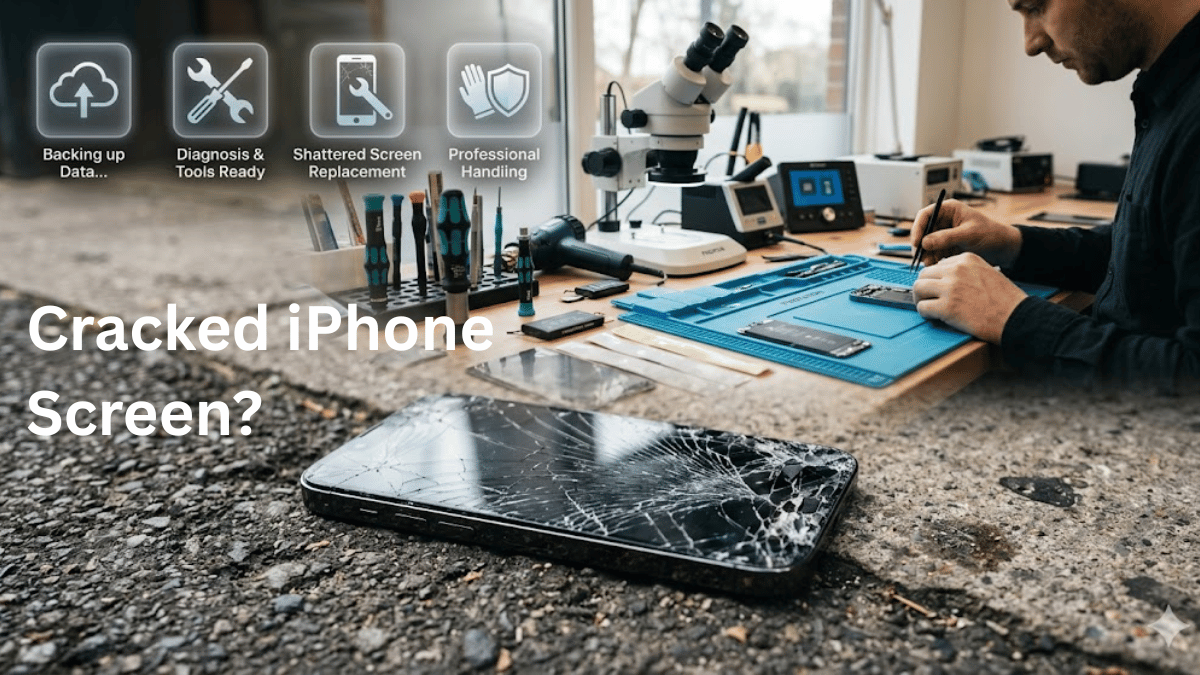
You just looked down and saw it — that unmistakable web of cracks across your iPhone screen. Maybe it slipped off the counter. Maybe it hit the pavement face-first. Either way, that sinking feeling is real.
But here’s what separates a smooth, stress-free fix from a repair nightmare: what you do in the next 30 minutes matters more than you think.
Most people grab their cracked iPhone and rush straight to the nearest repair shop. That’s a mistake. Without a few simple prep steps, you risk losing photos, locking a technician out of your device, or paying more than you need to.
This guide walks you through everything — from assessing the damage to choosing the right iPhone screen repairs shop in Newport. Follow it step by step, and you’ll walk out with a phone that looks and works like new.
Step 1: Assess the Damage (Not All Cracks Are Equal)
Before you do anything else, take 60 seconds to figure out what you’re actually dealing with. The type of damage determines your urgency, your repair options, and your cost.
Hairline or cosmetic cracks — the screen still responds to touch, colours look normal, and everything functions. You have time. This is the best-case scenario, and most screen replacements are completed the same day at a local Newport repair shop.
Moderate cracks with touch issues — you can see the display, but certain areas don’t register taps or swipes. Dead zones on the screen mean the digitiser is compromised. Get this repaired quickly, because it tends to worsen.
Severe damage — black spots, colour bleeding, flickering, or a completely unresponsive display. If you see any of these, your LCD or OLED panel is damaged internally. Power the phone off immediately to prevent further harm to the display components.
A quick safety note: If the glass is loose, sharp, or flaking, avoid running your fingers across it. Cracked glass can cause real cuts. Grab a piece of clear packing tape and lay it over the damaged area — this holds the shards in place, protects your fingers, and keeps dust and moisture out of the phone until you can get a proper cracked iPhone screen fix.
Step 2: Back Up Your Data Immediately
This is the single most important step on this entire list. Full stop.
Even a straightforward screen replacement can occasionally require a device reset. If your photos, contacts, messages, and app data aren’t backed up, they could be gone for good.
For iCloud backup: Open Settings → tap your name at the top → iCloud → iCloud Backup → tap “Back Up Now.” Make sure you’re on Wi-Fi and have enough iCloud storage.
For computer backup: Connect your iPhone to a Mac using Finder, or to a PC using iTunes. Select your device and click “Back Up Now.” This creates a full local copy of everything on your phone.
Pro tip: If your screen is barely responsive, try connecting a Bluetooth keyboard or use Voice Control (Settings → Accessibility → Voice Control) to navigate the backup process. Even partial touch can be enough if you’re patient.
Don’t skip this. Don’t tell yourself “I’ll do it later.” If the screen dies completely before you back up, recovering that data becomes exponentially harder and more expensive.
Step 3: Turn Off “Find My iPhone”
Here’s something that catches people off guard: most professional repair shops — including Apple Authorised Service Providers and trusted independent repairers in Newport — cannot begin work on your device unless Find My iPhone is disabled.
It’s a security feature built into iOS. When it’s active, certain hardware calibrations and diagnostic tests are blocked.
How to disable it: Go to Settings → tap your name → Find My → Find My iPhone → toggle it off. You’ll need to enter your Apple ID password.
If your screen is too damaged to navigate settings, try using iCloud.com from a computer. Log in with your Apple ID, click “Find My,” select your iPhone, and choose “Remove This Device.”
Turn it back on after you pick up your repaired phone. It takes 10 seconds.
Step 4: Secure Your Privacy and Remove Personal Data
You’re handing your phone — which contains your banking apps, passwords, private messages, and photos — to another person. A few quick steps protect your privacy without erasing everything:
Remove cards from Apple Wallet. Open the Wallet app, tap each card, scroll down, and tap “Remove This Card.” Do the same for any transit passes or loyalty cards.
Turn off Apple Cash if you use it. Go to Settings → Wallet & Apple Pay and disable it temporarily.
A note on your passcode: Most reputable repair technicians do NOT need your passcode for a standard screen replacement. They use Apple’s proprietary diagnostic tools and a specific testing mode to verify the new display. If a shop demands your full unlock code for a simple screen swap, that’s a red flag. Ask why.
Optional but smart: If you’re leaving your phone overnight or shipping it for repair, consider a full factory reset after your backup is confirmed. Go to Settings → General → Transfer or Reset iPhone → Erase All Content and Settings. You can restore everything from your backup once the repair is complete.
Step 5: Confirm Your iPhone Model
This sounds basic, but it saves time and avoids mix-ups at the shop. Different iPhone models use different screen assemblies, and pricing varies significantly between generations.
How to check: Settings → General → About. Look for the “Model Name” line. It will say something like “iPhone 14 Pro” or “iPhone 12 mini.”
Knowing your exact model helps the technician confirm they have the correct replacement screen in stock, give you an accurate quote upfront, and avoid delays if a part needs to be ordered.
Step 6: Remove Your SIM Card and Accessories
Before you hand over your device:
Pop out your SIM card. Use the SIM ejector tool that came with your phone (or a straightened paperclip). The SIM tray is on the side of the device. Store the SIM somewhere safe — it contains your phone number and, in some cases, contacts.
Remove your case and screen protector. Take off any protective case, PopSocket, ring holder, or adhesive accessory. These get in the way during disassembly and aren’t the technician’s responsibility if they’re damaged.
Give the phone a quick wipe. A clean device lets the technician see every crack, dent, and scratch clearly. It also speeds up the intake process.
Charge it up. Make sure your phone has at least 50% battery before dropping it off. Technicians need to power it on for testing after the repair.
Step 7: Check Your Warranty and Insurance
Before you pay out of pocket, spend two minutes checking whether you’re already covered.
AppleCare+ subscribers: If you have AppleCare+, screen repairs are covered for a reduced fee (currently around £25 in the UK). Check your coverage status at Settings → General → About → scroll to “AppleCare+ Coverage” or visit checkcoverage.apple.com.
Third-party insurance: Many mobile phone insurance plans (through your bank, network provider, or a standalone insurer) cover accidental screen damage. Pull up your policy or call them before booking a repair — you might only owe an excess fee.
Standard Apple warranty: The standard one-year warranty does NOT cover accidental damage like drops and cracks. It only covers manufacturing defects.
Knowing your coverage status before visiting a repair shop means no surprises at the till.
Step 8: Understand Screen Quality — Not All Replacements Are the Same
This is where most guides fall short, and it’s arguably the most important factor in your repair experience.
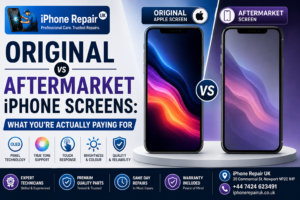
When you walk into a repair shop and ask for an iPhone screen replacement, you could receive one of three very different products:
OEM / Original quality screens — These are genuine Apple parts or parts manufactured to Apple’s exact specifications. They deliver the same colour accuracy, brightness, and touch sensitivity as your original display. This is what Apple Authorised Service Providers use.
Premium aftermarket screens — High-quality third-party panels that closely match OEM performance. Reputable repair shops in Newport use these as a cost-effective alternative that still delivers excellent brightness, colour, and responsiveness.
Budget screens — The cheapest option. You’ll notice lower peak brightness, slightly off colours, and occasionally reduced touch sensitivity. They work, but the experience is noticeably different.
Always ask your repair shop which type of screen they’re fitting. A trustworthy shop will tell you upfront and explain the trade-offs. If they dodge the question, that tells you something.
Step 9: Know What Features to Test After Repair
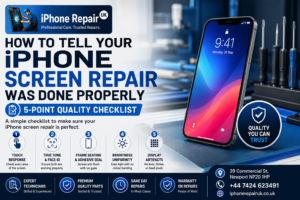
A screen replacement isn’t just about swapping glass. A proper repair preserves several critical iPhone features that are tied to the display assembly:
True Tone — This adjusts your screen’s colour temperature based on ambient lighting. If it’s not recalibrated after repair, your display may look overly blue or warm.
Face ID — The front-facing camera and sensor array sits directly behind the screen. Careless handling during repair can disable Face ID permanently.
Touch sensitivity — Every area of the screen should respond instantly and consistently. Test the edges and corners specifically.
Brightness and auto-brightness — Make sure the full brightness range works, including the ambient light sensor that drives auto-brightness.
Professional repair shops include “True Tone reprogramming” as part of the service and test all of these features before returning the device. This is a major differentiator between a quality shop and a cut-rate one.
Step 10: Understand the Water Resistance Factor
Here’s something Apple doesn’t advertise loudly: opening your iPhone voids its factory water-resistance seal.
Every iPhone since the iPhone 7 has an IP67 or IP68 water resistance rating. That protection comes from a precise adhesive gasket between the screen and the frame. When the screen is removed for replacement, that seal is broken.
Good repair shops in Newport apply a new water-resistant adhesive seal as part of the screen replacement. However, even a professionally resealed iPhone won’t match the factory-original rating.
The practical takeaway: After a screen repair, treat your phone as if it has reduced water resistance. Avoid submerging it, and be extra cautious around pools, sinks, and rain.
DIY iPhone Screen Repair vs. Professional Repair — the Real Trade-Offs
You’ve seen the YouTube videos. You’ve seen the £30 DIY kits on Amazon. So why not just do it yourself?
Here’s the honest breakdown:
What you risk with DIY: Opening an iPhone requires proprietary pentalobe screwdrivers and suction tools. One slip and you can sever the Face ID flex cable (which Apple cannot repair — it requires a full device replacement). You’ll also break the factory water-resistant seal with no way to properly reseal it. And if the home button or Face ID module is damaged, that feature is gone permanently.
What a professional shop delivers: A qualified technician in Newport can replace most iPhone screens in 30 minutes to 2 hours. They have the correct tools, a clean workspace, OEM or premium parts, and the software to recalibrate True Tone. Most reputable shops also include a 12-month warranty on parts and labour.
The verdict: Unless you’re a trained technician with professional tools, the risk-to-reward ratio of DIY screen repair simply doesn’t make sense. A botched job often costs more to fix than the original repair would have.
How Long Does iPhone Screen Repair Take?
One of the biggest advantages of choosing a local Newport repair shop over mailing your phone to Apple is speed.
Walk-in repair shops — Most screen replacements are completed the same day. Common timeframes range from 30 minutes for newer models with readily available parts, up to 2 hours for older or less common models.
Apple Store / Authorised Service Provider — If your nearest Apple Store is in Cardiff or Bristol, factor in travel time plus a potential multi-day turnaround if they need to ship the device.
Mobile repair services — Some Newport-based technicians offer a “we come to you” service, repairing your screen at your home or workplace. Turnaround is typically the same day, often within an hour of arrival.
If speed matters to you — and when you’re without your phone, it always does — a local same-day iPhone & iPad repair Newport service is your best bet.
How to Choose the Right Repair Shop in Newport
Not all repair shops are created equal. Here’s what to look for when choosing where to get your broken phone screen Newport fix:
Warranty on parts and labour — Any shop worth your money will offer at least a 12-month warranty on the screen replacement and the work performed. If they won’t guarantee their repair, walk away.
Transparent pricing — You should receive a clear, upfront quote before any work begins. No hidden fees. No surprise charges when you pick up the phone. Most local shops offer free quotes — take advantage of that.
Quality parts — Ask specifically whether they use OEM-grade or premium aftermarket screens. Avoid shops that won’t disclose their parts source.
Positive local reviews — Check Google Reviews, Trustpilot, and Facebook. Look for consistent praise around communication, turnaround time, and repair quality. A shop with a 4.7+ rating and dozens of reviews has earned that reputation.
Same-day service — If you need your phone back today, confirm availability before you drop it off.
True Tone and Face ID preservation — A quality repairer will explicitly confirm that True Tone recalibration and Face ID functionality are included in the service.
Your Quick Pre-Repair Checklist (Save This)
Before you walk into a repair shop, run through this list:
- Assess the damage level (cosmetic, moderate, severe)
- Back up to iCloud or a computer
- Turn off Find My iPhone
- Remove cards from Apple Wallet
- Confirm your exact iPhone model
- Remove SIM card, case, and screen protector
- Apply tape over cracked glass for safety
- Check AppleCare+ or insurance coverage
- Charge the phone to at least 50%
- Write down any specific issues or symptoms
Don’t Wait — Small Cracks Get Worse
A final word of advice: that small crack you’re ignoring right now? It’s not staying small.
Temperature changes cause glass to expand and contract, which extends cracks over time. Moisture and dust work their way through even tiny fractures, potentially damaging internal components. And a weakened screen is far more likely to shatter completely on the next minor drop.
The sooner you get your cracked iPhone screen repaired, the cheaper and simpler the fix. Waiting only increases the risk of needing more extensive (and expensive) repairs down the road.
Ready to Get Your iPhone Screen Fixed in Newport?
If your iPhone screen is cracked, chipped, or unresponsive, you now know exactly how to prepare for a fast, safe repair. Follow the checklist above, and you’ll protect your data, save time at the shop, and walk out with a phone that works like the day you bought it.
Need a quick, no-obligation quote? Get a repair quote from our Newport-based team. We offer same-day iPhone screen repairs using premium parts, with transparent pricing and a full warranty on every job.
Frequently Asked Questions
Q: How much does iPhone screen repair cost in Newport?
A: Pricing depends on your iPhone model. Older models like the iPhone SE or iPhone 11 are generally less expensive, while newer models like the iPhone 15 Pro Max cost more due to OLED panel pricing. Most Newport repair shops offer free quotes — always get one before committing.
Q: Can I use my iPhone with a cracked screen?
A: If the touch function and display still work, yes — but it’s not recommended long-term. Cracked glass exposes internal components to dust and moisture, and sharp edges can injure your fingers. Apply a temporary screen protector or tape over the cracks until you can get a proper iPhone screen replacement near you.
Q: Do I need to give the repair shop my passcode?
A: For a standard screen replacement, no. Technicians use diagnostic modes that don’t require your passcode. Be cautious of any shop that insists on your unlock code for basic screen work.
Q: Will my iPhone be waterproof after a screen repair?
A: Not to factory standards. A good repair shop applies a new water-resistant seal, but it won’t match Apple’s original IP rating. Avoid water exposure after any screen repair.
Q: How long does a screen replacement take?
A: At most walk-in repair shops in Newport, between 30 minutes and 2 hours depending on the model. Same-day screen repair UK turnaround is standard at reputable local shops.
Q: Is it worth repairing an older iPhone screen?
A: In most cases, yes. A screen repair on an iPhone 11 or 12 costs significantly less than buying a replacement device. If the rest of the phone works well, a new screen gives it years of additional life.