Summer in the UK is short, unpredictable, and full of opportunities to break your phone. Beach trips bring sand and salt water. Garden barbeques bring drinks balanced on tables next to phones. Festivals bring crowds, mud, and questionable charging arrangements. Long drives bring overheating dashboards. Even a perfectly normal sunny afternoon in your own back garden can turn into an expensive mistake if you set your iPhone down in the wrong place. This is the season when iPhone repair shops are busiest, and the season when the largest share of damage is, in retrospect, easily preventable.
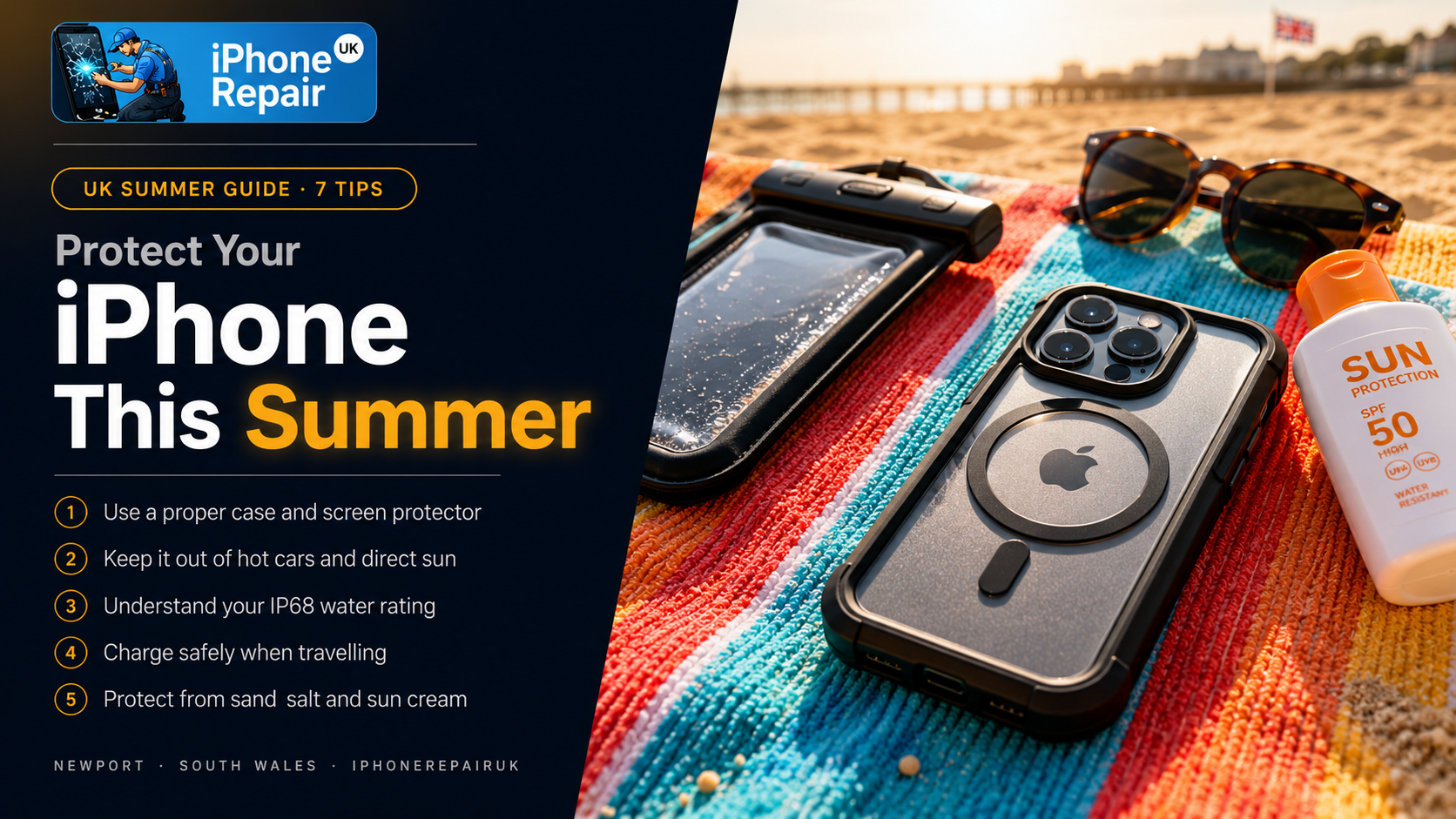
This guide gives you seven practical, specific tips to protect iPhone from damage tips that actually make a difference in real-world summer scenarios. Each one is grounded in the kinds of repairs that walk through our doors most often between June and September. The advice is UK-focused, applies equally to iPhones and iPads, and is written for ordinary people rather than gadget obsessives. Follow even half of these tips this summer and your phone is far more likely to survive the season intact, ready for the autumn that always arrives faster than expected.
Why Summer Is Statistically the Worst Season for iPhones
Before getting to the tips, it is worth understanding why summer is so hard on phones. The pattern is consistent across UK repair shops every year, and the causes are surprisingly predictable.
Heat is the first issue. Modern iPhones are designed to operate within a specific temperature range, typically between 0 and 35 degrees Celsius. On a hot summer day in the UK, a phone left on a car dashboard can reach internal temperatures well above 60 degrees in minutes. Lithium-ion batteries hate heat. Screens hate heat. Logic boards hate heat. Sustained high temperatures cause battery swelling, screen discolouration, internal component damage, and in extreme cases, complete device failure.
Water is the second issue. Even iPhones with IP68 ratings are not waterproof in any meaningful long-term sense. The seals degrade over time, and the rating is based on freshwater immersion under controlled conditions. Salt water, chlorinated pool water, sun cream, sand, and beer all attack the device far more aggressively than the IP rating suggests. A phone that has survived previous splashes is not necessarily a phone that will survive the next one.
Drops are the third issue. Summer activities involve more outdoor handling, more crowded environments, and more situations where the phone is being held one-handed while the other hand is occupied. The result is more drops onto harder surfaces (concrete patios, tiled pool surrounds, cobbled streets) than the rest of the year combined.
And finally, theft and loss spike in summer. Phones left on beach towels, on pub tables, on festival camping chairs, and in unlocked tents disappear at far higher rates than during the rest of the year. A stolen phone is a damaged phone for the purposes of this guide, because either way you are without it.
The seven tips below address every one of these patterns directly.
Tip 1: Use a Proper Case and a Tempered Glass Screen Protector
This is the most basic protection, the one most people already have at least partial coverage on, and yet the area where most preventable damage still happens. The reason is that not all cases are created equal, and many cases that look protective offer surprisingly little real protection.
A genuinely protective case has a raised lip around the front of the screen and around the rear camera bump, both of which prevent the most vulnerable surfaces from making contact when the phone is placed face down or face up on a hard surface. The case should cover the corners completely, because corners absorb the highest impact forces during drops. It should be made from a material that absorbs shock (silicone, TPU, or proper armoured composites) rather than one that just looks tough (hard plastic alone is often worse than no case at all because it transmits impact directly).
A good tempered glass screen protector adds the second critical layer. When a phone is dropped face down onto something hard, the screen protector takes the hit. Replacing a screen protector costs a few pounds. Replacing a screen costs many times more. Make sure the protector is genuine tempered glass, applied properly without bubbles, and full-coverage rather than the cheaper cropped versions that leave the edges exposed.
For summer specifically, consider a case that adds water resistance, even on iPhones that already have IP ratings. Brands like Catalyst, OtterBox Defender, and Apple’s own silicone cases add a meaningful layer of protection against the small splashes and water exposures that summer creates constantly. If despite your best efforts your screen does crack, professional iPhone screen repairs can usually be completed the same day, but prevention is dramatically cheaper than repair.
Tip 2: Keep Your iPhone Out of Direct Sunlight and Hot Cars
Heat is the silent killer of iPhones in summer. The damage is often invisible at the time, then shows up weeks or months later as battery swelling, screen discolouration, or sudden device failure. Avoiding excessive heat is one of the simplest, most effective protective measures available.
The specific situations to avoid include leaving the phone on a car dashboard, even briefly. Internal car temperatures can reach 60 to 70 degrees Celsius on a sunny UK day. A phone exposed to those temperatures for even ten minutes can suffer permanent battery damage. Leaving the phone face up on a beach towel or in a sunbed pocket where direct sun hits it. Charging the phone in direct sunlight, which combines two heat sources (charging warmth and solar warmth) in a way that accelerates battery aging dramatically. Storing the phone next to a window or on a windowsill where afternoon sun warms it for extended periods. Using the phone for sustained heavy tasks (gaming, video editing, GPS navigation) in hot environments without a way to dissipate the heat.
If you see the temperature warning on your iPhone, take it seriously. The phone is telling you it is operating outside safe limits. Move it to a cool, shaded place. Take it out of its case temporarily to help it cool down. Do not put it in a fridge or freezer, which can cause condensation damage. Just allow it to return to room temperature naturally.
For long car journeys, keep the phone in the glove box or a covered cup holder, not on the dashboard. For the beach, use a phone bag or a beach umbrella that keeps the phone in shade. For walking holidays, consider a belt-mounted case that allows airflow rather than a sealed pocket close to your body.
Tip 3: Take Water Resistance Seriously, But Not Too Seriously
Modern iPhones from the iPhone 7 onwards have varying degrees of water resistance, with the latest models rated IP68. This rating means the phone has been tested to survive immersion in fresh water under specific conditions. The rating does not mean the phone is waterproof, and treating it as if it were is one of the most common mistakes in summer.
The realistic interpretation of an IP rating is that your phone will survive a brief, accidental splash or fall into a sink full of water. It is not designed to survive pool water, which contains chlorine that damages seals over time. Salt water, which is dramatically more corrosive than fresh water. Hot water, which expands the air inside the phone and can force water in through pressure differences. Soapy water, where the surfactants reduce water surface tension and force it into smaller gaps. Repeated immersion, even in fresh water, because the seals degrade with use and time. Pressure beyond the rating, including pressure from being held underwater while diving.
A phone that has fallen into salt water needs immediate attention. Rinse it briefly in clean fresh water (this sounds counterintuitive but it is the right move because it removes the salt before it dries), then turn it off, do not press buttons unnecessarily, and bring it for professional drying and inspection. The window between exposure and permanent damage is short. iPhone water damage repair is most successful when the phone reaches a technician within hours rather than days, before corrosion has spread across the logic board.
For summer water activities, the simplest protection is to keep the phone out of the water entirely. Use a waterproof phone pouch (the cheap floating ones work well) for kayaking, paddleboarding, and pool sides. Keep the phone in a sealed bag when at the beach, opening it only when actually using it. Do not take it into the shower or bathtub. Do not photograph yourself in the swimming pool by holding the phone above the water; one slip and the IP68 rating will not save you when the phone goes deep enough to exceed the pressure spec.
Tip 4: Charge Carefully, Especially When Travelling
Summer travel often involves unfamiliar charging situations. Hotel sockets, airport USB ports, friends’ chargers, festival charging tents, public power banks. Each of these comes with risks that increase during the season. Charging carefully matters because the alternative includes both immediate device damage and long-term battery degradation.
Specific summer charging tips include bringing your own charger and cable when travelling. Borrowed chargers are an unknown quantity, and the unknown is where damage hides. Use a power bank from a reputable brand (Anker, RAVPower, Belkin) rather than the cheap promotional ones often handed out at events. Avoid charging from public USB ports without using a USB data blocker. Public USB ports can transmit data and malware as well as power. Do not charge the phone while it is in a hot car or on a hot beach. Heat plus charging accelerates battery damage. Unplug the phone once it reaches 100 percent if possible. Leaving it plugged in overnight in a hot environment puts continuous low-level stress on the battery. Use Optimised Battery Charging (Settings, Battery, Battery Health and Charging) to let the phone manage charging speed intelligently. Avoid wireless charging in hot weather. Wireless charging generates more heat than wired charging, and the combination of summer ambient heat plus wireless inefficiency can push batteries past safe temperatures.
If your phone has been showing slower charging, faster battery drain, or sudden percentage drops over the summer, the charger may be the cause. Bring it in for diagnosis before assuming the battery itself is at fault. Sometimes the fix is replacing a damaged cable; sometimes it is the port itself; occasionally it is a software issue resolved by an iOS update.
Tip 5: Keep Your iPhone Out of Sand, Salt, and Sun Cream
The trio of sand, salt, and sun cream are the unsung heroes of iPhone destruction during a UK summer. Each of them attacks the phone in a different way, and the combination is particularly destructive.
Sand is hard, abrasive, and small enough to find its way into every gap on the device. Once inside the charging port or speaker grilles, sand grinds against the metal contacts every time the phone is plugged in or used. The result is a charging port that needs to be replaced, a speaker that crackles, or a microphone that no longer picks up your voice clearly. Beach trips are responsible for a disproportionate share of charging port repairs each year.
Salt water and salt air are extraordinarily corrosive to electronics. Salt accelerates oxidation of internal components, attacks copper traces on the logic board, and damages the seals that provide whatever water resistance the phone has. Even being near the sea without direct contact (the salty air on a windy beach day) deposits a thin layer of salt on the phone that combines with any moisture to start the corrosion process.
Sun cream is greasy, slippery, and chemically aggressive. It seeps into the small gaps around buttons and ports, leaving residue that attracts dust and grit. It can degrade rubber seals over time. It makes the phone slippery to hold, which dramatically increases the chance of dropping it. And it is almost impossible to clean off completely without disassembly.
Practical countermeasures include keeping the phone in a sealed plastic bag or dedicated waterproof pouch when at the beach. Wash and dry your hands thoroughly before handling the phone if you have been applying sun cream. Rinse the phone with a damp microfibre cloth (only damp, not wet) at the end of beach days to remove salt residue. Avoid putting the phone in the same bag as wet swimsuits or towels. Consider a fully sealed case for beach days specifically, removing it for everyday use to maintain charging port and speaker performance. Carry a small lens cloth for cleaning the camera and screen during the day.
Tip 6: Watch Out for Drops in Crowded and Slippery Environments
Summer brings outdoor concerts, festivals, beer gardens, beaches, swimming pools, theme parks, and crowded city streets. Each of these is statistically more dangerous to your phone than your own living room. Conscious awareness of environment-specific risks dramatically reduces dropped-phone repairs.
Specific high-risk situations include taking selfies near pool edges, cliff tops, balcony railings, or any drop where retrieval is impossible. Holding the phone with one hand while carrying drinks, bags, or children with the other. Using the phone while walking on cobbled, uneven, or wet pavements. Photographing food or drinks on tables crowded with glasses, cutlery, and wet condensation rings. Handing the phone to friends or strangers to take photos, particularly when alcohol is involved. Using the phone while in motion on boats, trains, or open-top vehicles.
The countermeasures are mostly about awareness rather than gear. Use a wrist strap or pop socket on your phone case for situations where one-handed grip matters. Do not use the phone while walking on uneven surfaces. Take photos from stable positions rather than precarious ones. Use the volume button as a shutter so you can hold the phone with both hands. Be cautious about handing the phone to others, especially in crowded or risky environments. And accept that some photos are not worth the risk; if the only way to get the shot is to lean over a cliff edge with one hand, the photo is not worth it.
If despite all precautions the phone does take a drop, inspect it carefully before assuming everything is fine. Hairline cracks in the screen can spread over the next few days. Cracked rear glass can cause water resistance to fail. Bent frames can stress internal components. A quick post-drop inspection by a technician at our iPhone and iPad repair Newport workshop can catch developing problems before they turn into bigger ones.
Tip 7: Back Up Your Data Before Every Adventure
The seventh tip is about protecting what is on the phone, not the phone itself. Even with every precaution above, summer brings a non-trivial chance of losing or destroying your phone. The damage to the device can be repaired or the device replaced. The data, if it is not backed up, is gone forever.
Modern iPhones make backups extremely easy, and there is no longer any good reason to leave data unprotected. The two complementary approaches both add value.
iCloud Backup runs automatically when the phone is plugged in, locked, and connected to Wi-Fi. It backs up photos, messages, app data, settings, and more to your iCloud account. Apple gives 5GB free, which is rarely enough for a modern phone, so most users benefit from upgrading to a 50GB or 200GB plan for a small monthly fee. Make sure iCloud Backup is turned on (Settings, your name, iCloud, iCloud Backup) and verify the last backup date regularly.
iCloud Photos specifically protects your photos and videos by storing them in the cloud and syncing across devices. This is separate from iCloud Backup and uses iCloud storage. Turn it on if you have not already.
Computer backup through the Finder on Mac or iTunes on Windows creates a complete local copy of the phone. This is slower but does not depend on cloud storage limits or internet access during restore. Make a computer backup before any major trip.
Photo redundancy through services like Google Photos, Dropbox, or OneDrive provides a second cloud copy of your photos. Belt and braces. If one service fails, the other still has your memories.
Verify your backups before every trip. Check the date of the last iCloud backup. Confirm iCloud Photos is up to date. Make a full computer backup before a long holiday. The five minutes this takes is the cheapest insurance imaginable against losing every photo of your child’s first summer at the beach because someone’s drink got knocked into your bag.
Bonus: What to Do If Damage Happens Despite Everything
Even with every precaution in place, accidents happen. The right response in the first few hours after damage often determines whether the repair is straightforward or expensive.
For drops with cracked screens, stop using the phone immediately if cracks are spreading or if glass shards are visible. Continued use grinds glass into the touchscreen layer and can cause permanent damage to the digitiser.
For water exposure, turn the phone off immediately if it is still on. Do not press buttons unnecessarily. Do not put it in rice (this myth has been thoroughly debunked and rice can actually do more harm than good by depositing starch). Get it to a professional as quickly as possible, ideally within hours rather than days.
For sand or grit in the charging port, do not blow into the port (your breath contains moisture). Do not insert metal objects. Use a wooden or plastic toothpick gently, with the phone held facing down so debris falls out. If the port is still not charging properly after gentle cleaning, professional inspection is the next step.
For overheating, shut the phone down, remove the case, and let it cool naturally in a shaded place. Do not put it in the fridge or freezer. Do not charge it until it has returned to room temperature.
For complete failure (the phone will not turn on or respond), bring it in for diagnosis. Many phones that appear completely dead can be revived if the underlying cause is correctly identified.
A Summer Ready Phone Is a Year-Round Win
The seven tips in this guide are not just for summer. Use a proper case and screen protector all year. Keep the phone out of extreme temperatures every season. Take water resistance seriously even when it is not raining. Charge carefully always. Avoid grit and corrosive substances regardless of the weather. Be aware of drop risks in every environment. Back up your data continuously, not just before holidays. Phones that are looked after this way last years longer than phones that are not. They retain better battery health, better screen condition, better charging port responsiveness, and better resale value. They cost less in repairs over their lifetime, and they save their owners the hassle and disruption of unexpected failures.
Summer is the season when most damage happens, but the habits that protect your phone in summer protect it equally well through autumn rain, winter cold, and spring mud. Apply these iPhone protection tips summer after summer, and the phone you bought today will still be working well long after your friends have moved on to their second or third replacement. That is the simplest, most cost-effective approach to owning a modern smartphone, and it costs almost nothing to put into practice. Enjoy the sunshine, take all the photos you want, and bring the phone home in one piece.