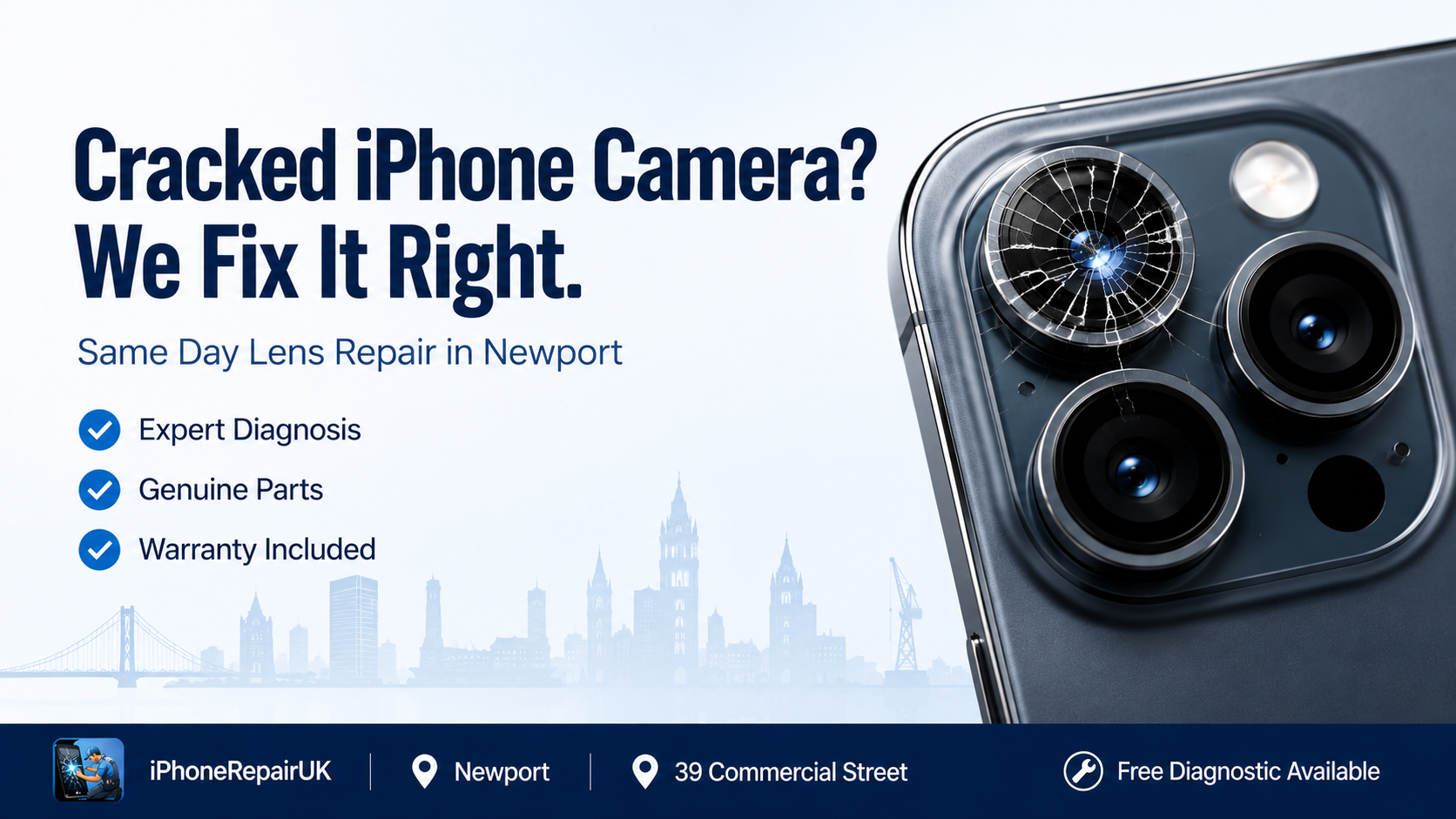
Of all the components on a modern iPhone, the camera is the one most users would rank as essential. Photos of your children, screenshots of important documents, video calls with family abroad, scanned receipts for expenses, the occasional Instagram post that actually turns out well: the camera is at the centre of everyday digital life. So when the lens cracks, the images go blurry, or the autofocus stops working, the whole device feels suddenly broken, even if everything else still functions perfectly.
The good news is that most camera faults on iPhones are entirely repairable, and a professional iPhone camera lens repair almost always costs a small fraction of replacing the phone. This guide walks through every common camera problem in detail, explains how proper lens repair actually works, shows you how to tell whether you are dealing with a simple lens issue or a deeper module fault, and helps you decide when to attempt a fix yourself and when to bring it in to a specialist. By the end, you will know exactly what is happening behind the glass on the back of your phone, and what your realistic options are.
How an iPhone Camera Is Actually Built
To understand why a cracked lens or a blurry image happens, it helps to know what is sitting behind that little circle of glass on the back of your iPhone. A modern iPhone camera is not a single component. It is a stack of precisely engineered parts, layered millimetres apart inside a sealed module, each of which has to work perfectly in harmony for the photo to come out right.
From the outside in, the stack typically includes a protective sapphire or hardened glass lens cover, which is what you see and touch on the back of the phone. Behind that sits a multi-element optical lens assembly made of plastic and glass elements, often six or seven layers thick. An optical image stabilisation mechanism on most Pro and Plus models physically moves the lens or the sensor to counter hand shake. The image sensor itself converts incoming light into digital data. A flexible ribbon cable connects the entire module to the iPhone’s logic board. A series of magnets, coils, and tiny motors drive autofocus and stabilisation.
Every part of this stack is sealed against dust and moisture during manufacture. The moment the outer lens cracks, even microscopically, that seal is broken. From that point onward, dust, fibres, and condensation begin migrating into the optical path, and image quality starts to degrade in ways that often appear long before the user notices the crack.
Why Camera Glass Cracks More Easily Than You Think
iPhone owners are often surprised when their camera lens cracks, because they cannot remember dropping the phone. The reason is that the rear camera bump on modern iPhones (particularly iPhone 11 onwards, and dramatically more so on Pro and Pro Max models) protrudes significantly from the back of the device. This raised section concentrates impact whenever the phone is placed on a hard surface, slid into a tight pocket, dropped, or knocked.
Common ways iPhone camera lenses crack include sliding the phone across a textured table surface, which scratches and eventually fractures the lens cover. Placing the phone face up on a hard worktop where the camera bump bears the whole weight of the device. Dropping the phone even from a low height where the camera area lands first because of the bump. Pressure damage in tight pockets, particularly skinny jeans and back pockets. Sand or grit getting between a poorly fitting case and the lens cover, then grinding when the case is removed. Magnetic accessories or wireless chargers with metal particles that scratch the surface during use.
The lens cover is made of sapphire on most modern iPhones, which is extremely hard but also brittle. Hardness and toughness are not the same thing. Sapphire resists scratches better than almost any other material in consumer electronics, but it shatters more easily than plastic when impacted at the wrong angle.
The Difference Between Lens Damage, Module Damage, and Software Issues
One of the most important steps before any cracked camera glass repair UK service is correctly identifying which part of the camera system is actually faulty. Three very different problems can all produce similar symptoms, and the cost difference between them is significant.
Outer Lens Damage
This is the most common and the most affordable to fix. The outer sapphire or glass cover is cracked, chipped, or scratched, but the camera module behind it is undamaged. Symptoms include visible cracks on the lens, light scattering or starbursts in photos taken in bright light, hazy or foggy areas in the corners of images, and sometimes dust visibly trapped behind the glass. The cure is replacement of the lens cover only, usually a quick and cost-effective job for a skilled technician.
Camera Module Damage
This is the next level up. The outer lens may be intact, or it may be cracked, but the actual camera unit behind it has been impacted, knocked out of alignment, or had its internal components damaged. Symptoms include autofocus that hunts continuously without locking on, complete loss of image from one of the lenses (wide, ultrawide, or telephoto), blur that affects the whole image regardless of distance, error messages in the Camera app, or the camera not opening at all. The cure is replacement of the entire camera module, which is more involved but still a routine repair in expert hands.
Software-Related Issues
Sometimes the camera appears broken when the actual fault is in iOS or in a third-party app. Symptoms include the camera working in some apps but not others, the camera freezing when you switch lenses, or random crashes. The cure is usually a software fix: closing background apps, restarting the phone, updating iOS, or in stubborn cases, a settings reset.
A skilled technician diagnoses which of these is actually happening before any work begins. Doing it the other way around, replacing parts before diagnosis, is how people end up paying for repairs they did not need.
Symptoms of a Failing Camera and What Each One Usually Means
The phrase “iPhone camera blurry fix” is one of the most searched repair phrases in the UK, but blurriness is rarely just one thing. Knowing what specific kind of blur you are seeing tells you a great deal about what is wrong. Here is how to read the symptoms.
Hazy Photos That Look Like Fog or Smoke Across the Whole Frame
This usually means dust, condensation, or fibres have entered the camera module through a cracked lens cover. The lens cover needs to be replaced and the module ideally cleaned or replaced.
Blur Only at Certain Focal Distances
If close-ups are sharp but distance shots are blurry, or vice versa, the autofocus mechanism inside the module is struggling. This can be caused by impact damage to the focus motor, or by debris inside the module preventing the lens from moving freely.
Blur That Follows the Movement of Your Hand
This points to the optical image stabilisation having failed. The OIS unit is supposed to counter small shakes; when it fails, every micro-movement appears in the photo. This is module-level damage and requires module replacement.
Sharp Centre, Blurry Edges
This is almost always lens cover damage. The crack or chip in the outer glass scatters light at the periphery while the centre of the image remains relatively clear.
Diagonal Lines or Starbursts in Bright Lights
Cracked sapphire produces internal reflections that show up dramatically in photos with point light sources, particularly at night. This is a classic symptom of outer lens damage.
Camera App Shows a Black Screen
This is rarely a lens issue. It is usually a connection problem with the camera flex cable, a damaged image sensor, or in some cases, a software fault that resolves with a restart.
Camera Works But Flash Does Not, or Vice Versa
This indicates a fault in the flex cable rather than the camera module itself, because the flash and camera share routing through the same internal connector.
Understanding the specific pattern of failure helps the technician give you a faster, more accurate quote, and it helps you understand whether the repair you are quoted matches the symptoms you actually have.
Why Professional iPhone Camera Lens Repair Beats DIY
The internet is full of videos showing people swapping iPhone lens covers in their kitchens with a heat gun, a suction cup, and a steady hand. Watching one of these videos can make the job look straightforward. In practice, professional lens repair looks superficially similar but differs in several critical ways that determine whether the camera ends up working as well as it did when it left the factory, or merely working at all.
A professional repair starts with a proper diagnosis using calibrated test equipment, not just visual inspection. The technician confirms whether the lens cover alone is damaged or whether the underlying module also needs work. Genuine sapphire glass replacements are used, not the cheap mineral glass that some kits supply, because the optical clarity and scratch resistance of the original material matter for image quality. The bonding is done with UV-curing optical adhesive applied under a microscope, not with double-sided tape, which can leave visible glue lines or trap dust. The work happens in a clean environment to prevent particulate contamination during the brief moments the module is exposed. And the finished repair is tested across all camera modes, including portrait, night mode, video, and slow motion, before the phone is handed back.
DIY repairs tend to fall short in subtle ways that show up over time. Adhesive that was not properly cured fails after a few weeks of pocket warmth. Lens covers that were not perfectly aligned cause edge softness in photos. Trapped dust appears as floaters in every image. Improper sealing allows moisture in, which then condenses on the inside of the cover and ruins photos taken in cold weather. The repair appears to work, but the camera never quite returns to factory quality.
If you are anywhere near South Wales, iPhone camera & lens repair is one of the most common services we perform, and the difference between an expertly executed lens swap and a kitchen-table attempt is visible in every photo for the rest of the phone’s life.
What Happens During a Proper Lens Repair: Step by Step
Demystifying the process helps people understand what they are paying for and what to expect when they bring a phone in. A professional rear camera lens repair typically follows this sequence:
Initial Diagnostic
The phone is inspected visually under magnification, then tested in the Camera app across all lenses and modes. Photos are taken at varying distances and lighting conditions to characterise the fault precisely.
Quote and Confirmation
The customer is given a clear, fixed quote based on the diagnosis. No work begins without explicit approval.
Disassembly
Depending on the iPhone model, the technician may need to open the phone from the front (older models) or work directly on the rear glass area. Anti-static precautions are taken throughoutf.
Lens Cover Removal
The damaged lens cover is removed using controlled heat to soften the original adhesive, followed by precision tools to lift the broken glass without disturbing the camera module behind it.
Cleaning
The exposed area around the camera module is meticulously cleaned to remove every trace of old adhesive, dust, and broken glass fragments. This step is done under magnification.
New Lens Installation
The replacement lens cover, matched exactly to the phone model, is positioned with sub-millimetre precision. A specialist UV-curing optical adhesive is applied around the bonding surface only, never on the optical path.
UV Curing
The adhesive is cured under controlled UV light, which produces a permanent, optically clear bond in seconds.
Reassembly and Testing
The phone is reassembled, then tested across every camera function. Sample photos are compared against the expected baseline for that model.
Customer Demonstration
Before the phone is handed back, the technician demonstrates the repaired camera so the owner can confirm everything works as expected.
The whole process, in skilled hands, typically takes between thirty minutes and two hours depending on model and the extent of any cleaning required. Because we operate as Newport’s trusted iPhone repair service, most lens repairs are completed the same day, often while the customer waits.
When the Whole Camera Module Needs Replacing
Sometimes, lens replacement alone is not enough. If the impact that cracked the glass also damaged the underlying module, or if dust and moisture have already migrated inside and caused permanent fogging on the internal lens elements, the entire camera unit needs to be replaced. This is a more complex job, but still routine for an experienced technician.
iPhone camera modules are connected to the logic board through a delicate flex cable. Disconnecting and reconnecting this cable safely requires the right tools and the right technique. Modern iPhones, particularly those with Pro-level camera systems, may also need software calibration after a module swap to ensure the image processing pipeline correctly recognises the new hardware. A reputable repair service will perform this calibration as part of the job, not leave it to chance.
Common signs you need full module replacement rather than just lens replacement include persistent blur even after cleaning the outer lens, visible debris floating inside the lens that does not move when the phone is shaken, permanent autofocus failure across all distances, pink, green, or purple tint to all photos indicating sensor damage, camera not detected by iOS at all with error messages on launch, and optical image stabilisation buzzing or making mechanical noises.
The price difference between lens-only and full-module replacement varies by model, but a genuine quote should always specify which part is being replaced and why.
The Hidden Costs of Living With a Broken Camera
Many iPhone owners put off camera repair because the rest of the phone still works. This decision usually costs more in the long run than the repair would have, for several reasons.
A cracked lens admits dust, moisture, and air into the camera module. Once inside, these contaminants cannot be removed without dismantling the module. Each day the crack remains, the contamination grows, and what could have been a simple lens replacement becomes a full module replacement.
A damaged camera reduces the resale value of an iPhone significantly. When the time comes to upgrade, a phone with a working camera fetches noticeably more on resale and trade-in than one with even a small visible crack on the rear lens. The repair almost always pays for itself in resale value alone.
A dust-contaminated camera also tends to fail completely over time. What starts as a small haze becomes a full inability to focus, which becomes a black screen in the Camera app. Repairs done early are simpler and cheaper than repairs done after the fault has spread.
And practically, a broken camera means missed photos. The graduations, holidays, family gatherings, and ordinary daily moments that the camera was for in the first place. The repair pays for itself emotionally long before it pays for itself financially.
Choosing the Right Repair Service for Your Camera
Not every repair shop is equally equipped to handle camera work. The lens system on a modern iPhone is one of the most precise pieces of hardware in consumer electronics, and it deserves a technician with the right tools, parts, and experience. When choosing where to take your iPhone for iPhone lens replacement Newport or anywhere else in the UK, look for clear pricing with no hidden surprises after the work begins, use of high-quality replacement parts ideally matching original specifications, a workshop environment that looks clean, organised, and professional, technicians willing to explain the diagnosis and the repair plan in plain English, a meaningful warranty on parts and workmanship, willingness to demonstrate the repaired camera before you pay, and real reviews from real customers, not just generic five-star ratings.
You can read about our skilled technicians to see exactly who will be handling your phone, what experience they bring, and how the workshop approaches the iPhone camera not focusing problems and other common faults that walk through the door every week.
Preventing Future Camera Damage
Once your camera is repaired, a few simple habits dramatically reduce the chance of needing another lens replacement. Use a case with a raised lip around the camera area, which keeps the lens off the surface when the phone is placed face up. Avoid sliding the phone across textured surfaces. Keep the phone out of pockets that contain keys, coins, or grit. Apply a tempered glass camera lens protector, particularly on Pro and Pro Max models with prominent camera bumps. Avoid magnetic accessories that have not been properly demagnetised, because residual particles can scratch the lens. And handle the phone with a little extra care in beach, ski, and outdoor settings where sand, salt, and grit are constant threats.
A Camera Repaired Properly Is a Phone Restored
There is a particular satisfaction in getting an iPhone back from a proper camera repair. The crack is gone. The dust is gone. The photos look sharp again, exactly the way they did when the phone was new. The thing that made the device feel half-broken has been put right, and you remember why you bought this particular phone in the first place. That experience is what professional iPhone camera lens repair is for. Done well, by hands that know the parts, with the right tools and the right adhesive in a clean workspace, it transforms a damaged device back into the phone you trusted with all of your important moments. Done badly, by inexperienced hands with cheap parts, it leaves you with a phone that almost works, photos that almost look right, and a problem that almost certainly comes back. The difference is worth every consideration before you choose where to take it.