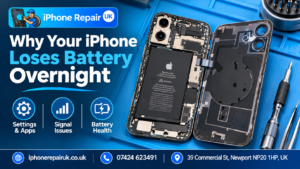
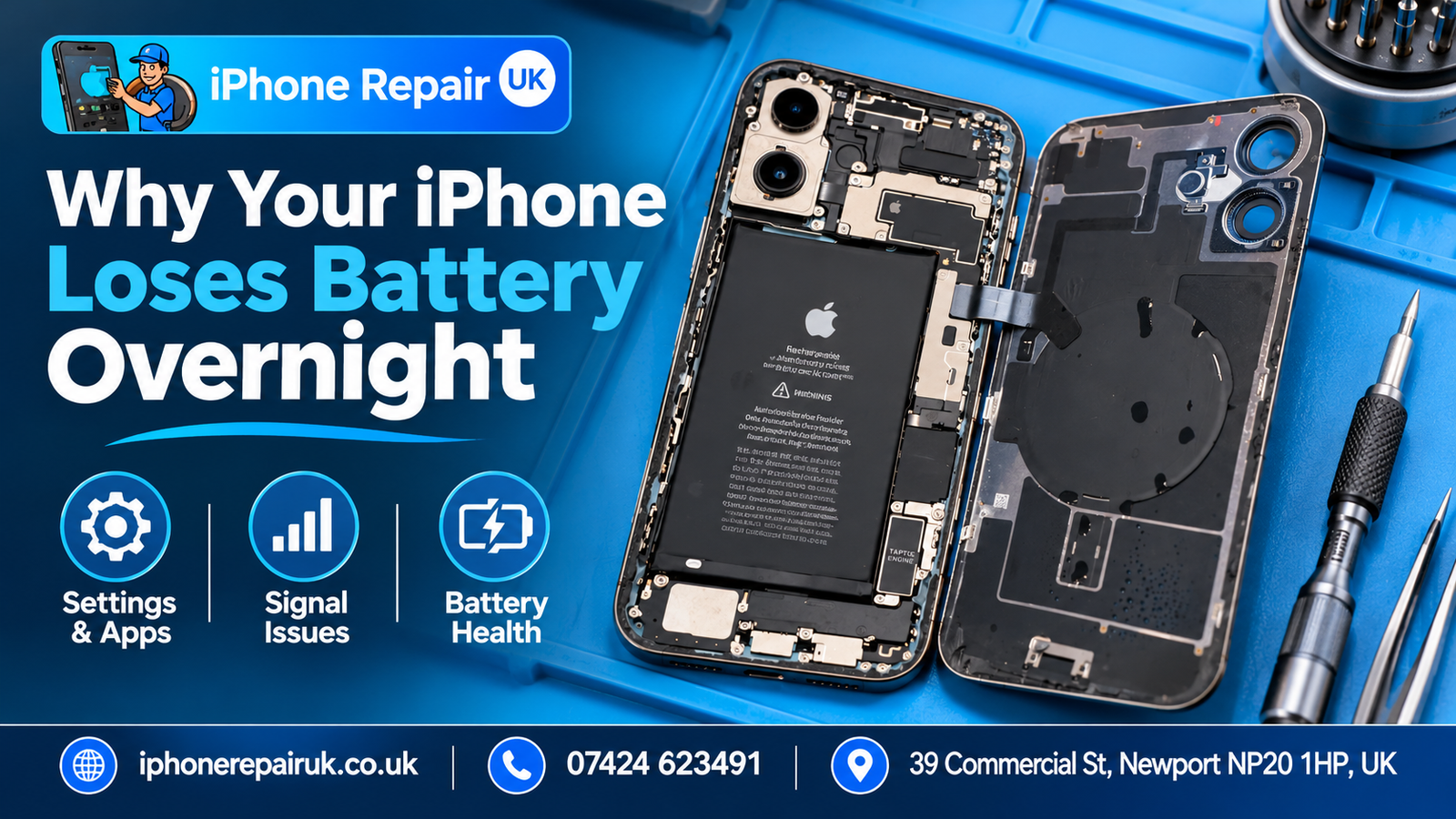
You plug the phone in at eleven. It reads one hundred percent. You put it face down on the bedside table, go to sleep, and wake up to sixty-eight percent at seven in the morning. Nobody opened an app. The phone was not used. Something took a third of the charge while you were asleep.
A third is a lot. A healthy iPhone sitting idle for eight hours with the screen off and a reasonable signal should lose one to four percent. Anything above ten is worth investigating. Anything above twenty is not a battery problem until proven otherwise, and the honest answer from the iPhone Repair UK bench is that most of the time the cell is fine. What has gone wrong is almost always one of three things: a setting, a signal, or, less commonly, the hardware the owner assumed was the problem all along.
Those three categories each have a different diagnostic test and a different fix. Getting them apart is the whole trick.
What normal looks like
Before anything else, measure. Note the percentage when you plug the phone in at night, note whether charging had completed by morning or the phone was still drawing power when you checked, and note the percentage when you first picked it up. That is your actual overnight drop. Guessing by feel almost always exaggerates the problem. A phone that reaches eighty percent overnight through Optimised Battery Charging, then completes to one hundred in the hour before you wake, looks like it drained to eighty if you glance at it at three in the morning but is actually working as designed.
For a phone that was fully charged when you plugged it in and that finished charging before you checked:
- One to four percent is normal.
- Five to ten percent is at the high end of normal and worth looking at if it is consistent.
- Ten to twenty is not normal, and one of the settings causes below is almost always active.
- Twenty plus is a specific drain, either an app, a signal problem, or liquid damage.
Those thresholds matter because they determine whether you spend your evening changing settings or whether something deeper is going on.
Category one: the settings causes
Most overnight drain traces back to a setting or a background process that should not have been running while you were asleep. The good news is that iOS keeps a near-complete record of what used battery and when, which makes this the easiest category to diagnose at home.
Open Settings and go to Battery. The graph at the top shows the last twenty-four hours or the last ten days of battery level. Below the graph is a list of apps, each showing both Screen time (when the app was actively open) and Background time (when it was doing work without being open). An app with significant Background time overnight and zero Screen time is a prime suspect. Mail clients, cloud backup services, fitness trackers, social media apps, and news apps are the recurring offenders. Look especially for apps you no longer actively use. A delivery tracker from two Christmases ago is still allowed to run in the background unless you tell it to stop.
If one app stands out, three things to try in order. First, Settings, General, Background App Refresh, and turn it off for that app specifically. Second, Settings, Notifications, the app, and turn off notifications unless you genuinely need them. Third, consider whether the app actually needs to be installed. An app you opened once three months ago keeps earning its small slice of the overnight drain for as long as it sits on the home screen.
Other settings worth checking: Always-On Display on iPhone 14 Pro and later, push mail set to push rather than fetch, Live Activities from sports or delivery apps that keep rendering on the lock screen overnight, widgets that refresh frequently, and location services set to Always for apps that only need While Using. Any one of these quietly adds five to fifteen percent to an overnight drop. Together they can account for most of it.
Run the two-night test after each change. Measure the first night under current settings, change one thing, measure the second night. Changing multiple settings at once makes it impossible to know which one actually mattered.
Category two: the signal problem
The one that catches people out. A weak mobile signal forces the modem inside the phone to work harder to maintain the connection. It searches for a stronger signal, re-registers with towers, and drains the battery while it does so. The symptom is an iPhone that loses battery fast overnight with no visible cause, no app at the top of the Battery list, no obvious misbehaving setting.
We see this often enough at iPhone Repair UK that it is the first thing we ask about when the Battery usage screen looks clean. Signs this is your category: the bedroom has worse signal than the rest of the house, the phone drops to one or two bars or occasionally No Service, the drain gets worse when you travel to areas with poorer coverage, or the drain started after you switched network provider. Some Newport postcodes sit in known coverage dips for particular carriers, and a weak-signal overnight drain has nothing to do with the battery cell inside the phone.
The diagnostic test is simple. Put the phone in Airplane Mode before bed, one night only. This cuts cellular, Wi-Fi, and Bluetooth. If the overnight drop falls to one or three percent, you have confirmed that the modem working against a weak signal was the main cause. Airplane Mode is not a practical nightly fix, but it isolates the variable.
The real fix is one of three things. Enable Wi-Fi Calling in Settings, Phone, Wi-Fi Calling, so the phone uses your home broadband for calls and texts and does not have to keep hunting for a weak cellular signal. Add a signal booster at home. Or consider a network provider with better coverage in your specific postcode. Replacing the battery will not help a signal problem in any way.
Category three: the hardware causes
After settings and signal have been ruled out, the remaining causes are physical. The two patterns that matter are a degraded battery and residual liquid damage.
A degraded battery becomes a contributor to overnight drain when the maximum capacity drops below around eighty percent. The cell holds less energy to begin with, so the same percentage drop represents fewer minutes of actual charge. iOS also starts throttling peak performance at that point, which causes some background processes to run longer to complete, which in turn uses more battery. Check Settings, Battery, Battery Health and Charging, and look at the Maximum Capacity figure. A number above eighty-five is unlikely to be the cause of significant overnight drain on its own. A number below eighty, especially combined with a Service message, means the cell itself is contributing. What each threshold actually means in day-to-day use is worth knowing before you decide whether to replace it, because the right answer depends as much on how much longer you plan to keep the phone as it does on the number itself.
Liquid damage is the quieter cause and the one owners most often forget about. Water does not have to go all the way into the phone to cause overnight drain. Moisture in the charging port or SIM tray area can create tiny shorts in the charging and power management circuitry, which drain the battery continuously, visibly only in the overnight measurement. Signs this is your cause: any liquid incident in the last few weeks, a “Liquid Detected” warning that appeared even once, a slight green or white residue around the charging port, or overnight drain that started suddenly rather than gradually worsening.
Replacing the battery will not fix corrosion damage. The new cell will drain overnight in exactly the same way as the old one. If the trigger event was a splash or a spill, the fix is cleaning the corrosion, not replacing the battery, and the longer that is left, the further the corrosion spreads. On the bench, corrosion on the power management IC is one of the most common quiet causes of persistent overnight drain in older iPhones we see.
The faults that mimic overnight drain
A few conditions produce symptoms that feel like overnight drain but are something else entirely.
A failing charging port that stops the overnight charge partway through. The phone reads a full charge when you plug in, but the connection drops at some point during the night, and the phone draws down from a lower starting percentage than you realised. The symptom is “the battery drained overnight” when the real problem is “the phone never got to full”. Specific signs that point at the port rather than the battery include a cable that only works at certain angles and a port that feels loose when you push a cable in.
A worn or cheap cable that delivers inconsistent current. Charging stops and starts through the night, the phone never reaches full, the owner describes it as overnight drain.
A proximity or Face ID sensor fault that activates the screen during the night. Movement on the bedside table, a shift in the phone’s orientation, or a shadow passing over the Face ID array can light the display briefly. Repeated over eight hours, this uses real battery. The fix is usually a sensor calibration rather than a new battery.
Any of these produce the same complaint the owner usually blames on the cell. A proper diagnostic separates them, which matters because a battery replacement will not help a cable fault, a port fault, or a sensor fault.
What iPhone Repair UK actually checks during a battery diagnostic
For context, because it is not obvious what a proper battery diagnostic looks like from the customer side. When an iPhone comes in with an overnight-drain complaint, we check the following before quoting anything.
Maximum capacity and cycle count against the age of the phone. A battery at seventy-eight percent with three hundred cycles tells a different story from the same battery at seventy-eight percent with twelve hundred cycles. Peak Performance Capability, which iOS flags when the battery has thrown a protection event. Charging current, measured at the port, to confirm the cell is actually accepting current cleanly. A visual inspection of the charging port, the battery connector, and the surrounding logic board for corrosion, discolouration, or displaced pins. And, if the symptoms suggest it, a controlled overnight standby test on the bench with network and settings in a known state.
That sequence rules out five of the six most common non-battery causes of overnight drain, which is why we often tell customers the cell is fine and the real fault is something cheaper to fix.
A two-night test that answers most questions
If you want to run a clean diagnostic at home before paying for anything, set aside two consecutive nights.
Night one, baseline. Plug the phone in at a fixed time, let it reach one hundred percent, confirm charging has completed, record the starting percentage. Leave the phone untouched. Record the percentage eight hours later. That is your current overnight drop.
Night two, one change. Pick the most likely cause based on the categories above. If several apps show high overnight background activity, turn off Background App Refresh for the heaviest one. If signal is weak in the bedroom, enable Airplane Mode for the night. If battery health is below eighty-five, do nothing different and record the same measurement. Compare the new overnight drop to the baseline.
If the drop has fallen significantly, you have found the cause. If it has not, change one more variable the next night. Changing three things at once is not a diagnostic, it is a guess.
When to bring the phone in
Four signals push the decision from home testing to a workshop visit:
- Battery health is below eighty percent and the drain is above fifteen percent even with settings cleaned up.
- The phone has had any liquid exposure in the last month, visible or not.
- Overnight drain started abruptly, within a day or two, with no software change or iOS update to explain it.
- The phone is warm to the touch in the morning, every morning, even sitting idle.
Any of those four is worth a free diagnostic before you pay for a battery replacement, because a battery replacement will not resolve any of them. If you are in Newport the iPhone Repair UK workshop is at 39 Commercial Street, the diagnostic is free, and we will tell you honestly if the cell is actually the problem or if something else is draining the phone while you sleep.