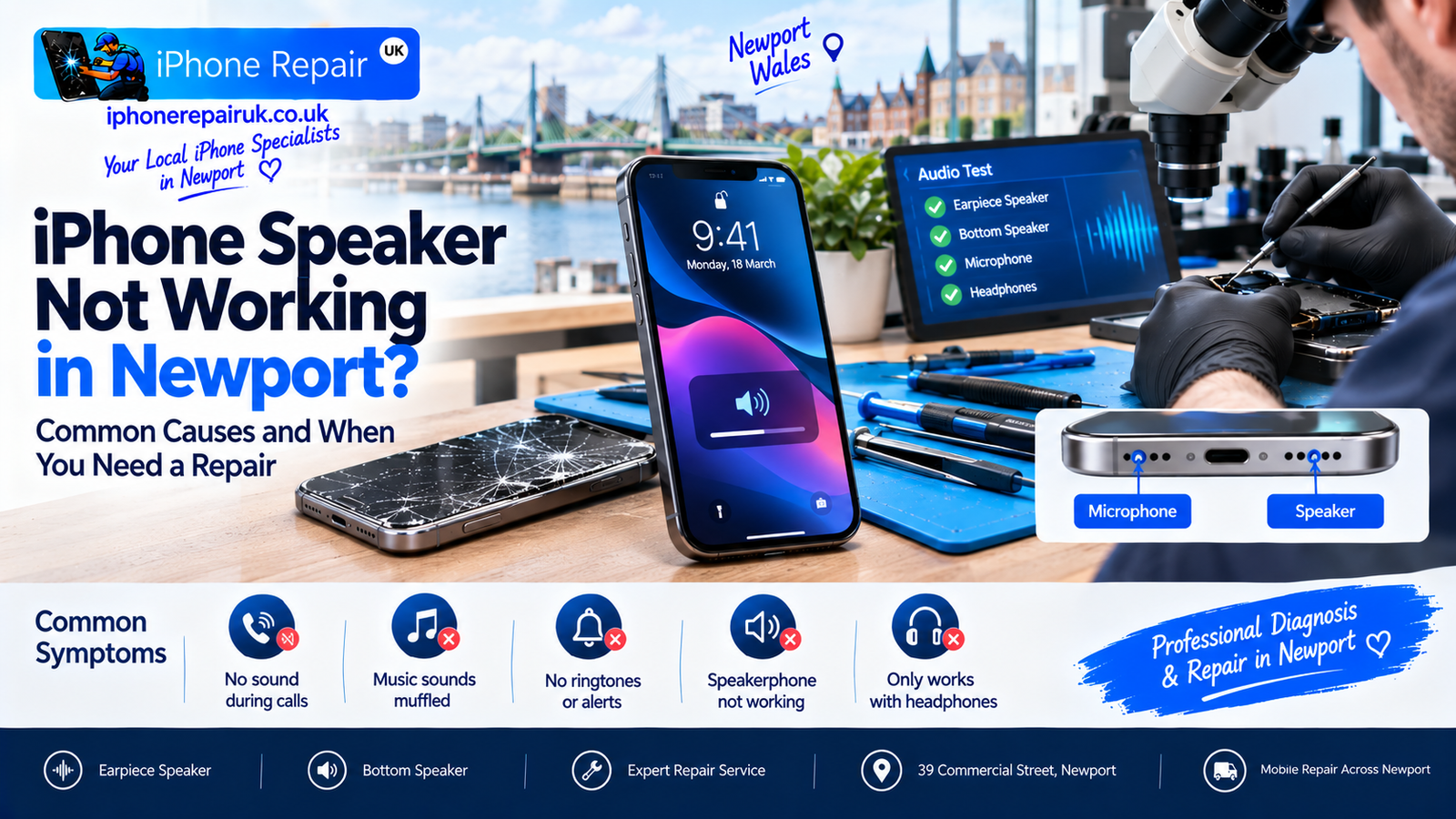
Silence from a phone that used to be loud is unsettling. You take a call and the person on the other end says they can hear you fine, but you cannot hear them. Or you play music through the speaker and something is coming out, but it is muffled, distorted, or half the volume it should be. Or the phone appears to think headphones are still plugged in when there is nothing in the port at all.
An iPhone speaker not working is one of the most common faults we see at our Newport workshop, and here is the thing most customers do not realise until we explain it: your iPhone has two completely separate speaker systems, and they fail for different reasons, cost different amounts to fix, and often produce very different symptoms. Diagnosing which speaker has failed is the first step, and it is one you can do yourself in about thirty seconds.
This guide covers the anatomy of iPhone audio, the specific self-checks that resolve about half of speaker complaints without a repair, the leading hardware causes when the fault genuinely needs a workshop, and what a professional iPhone speaker repair actually involves. As an Apple-only workshop covering Newport, Caerleon, Risca, Cwmbran, and Pontypool, we replace iPhone speaker assemblies every week and know which faults are simple fixes and which are more involved.
Your iPhone Has Two Completely Separate Speaker Systems
Every iPhone has two audio outputs, and they do different jobs.
The earpiece speaker is the small speaker at the very top of the display, above where the screen meets the frame. It is the speaker you hold to your ear during a normal phone call. On iPhones with Face ID (iPhone X and later), the earpiece also acts as the second stereo speaker for music playback and video, working alongside the bottom speaker to produce stereo sound. Its mesh grille is a narrow slot at the top of the display.
The bottom-firing speaker sits at the bottom edge of the phone, behind one of the two speaker grilles below the Lightning or USB-C port. The other grille (typically on the left when the phone is face-up in portrait) is actually the microphone, not a speaker. This bottom speaker handles ringtones, alerts, speakerphone calls, music, video, and any general audio when the phone is not held to your ear.
The two speakers are physically separate components inside the phone. They connect to the logic board through different flex cables. They can fail independently. And critically, they cost different amounts to repair because they involve different disassembly procedures.
Symptoms That Point to the Earpiece Speaker
You cannot hear the person during a normal non-speakerphone call, but you can hear them if you switch to speakerphone. Video and music playback sounds quieter than usual and lacks stereo separation. Call audio sounds muffled or distant. One channel of stereo playback is silent.
Symptoms That Point to the Bottom Speaker
Ringtones do not play. Alerts and notifications are silent. You cannot hear anyone in speakerphone calls. Music plays through the earpiece only. Videos have no sound unless you plug in headphones. Speakerphone works, but sound is distorted or crackling.
Symptoms That Could Be Either
The phone thinks headphones are permanently plugged in — this is a Lightning or USB-C port fault, not a speaker fault. All audio is silent regardless of speaker — this is a software or logic board fault, not a speaker fault. Audio works but volume is low across the board — this is usually a software mute or setting.
Diagnosing which speaker is at fault before you visit a shop can save you time and money, because the fix is different.
Common Causes Ranked by How Often We See Them
At the Newport workshop, iPhone speaker complaints come through the door roughly in this order of frequency.
Blocked speaker grille from pocket lint, dust, or beach sand is by far the most common cause, and almost always fixable at home in five minutes without any tools other than a soft brush. Water damage is the second most common cause. Even splashes and sweat can enter the speaker cavities and cause corrosion of the fine speaker coils or the flex connections. Bluetooth audio routing is the third cause where the phone is playing audio through a Bluetooth device such as headphones, a car system, or a speaker that you have forgotten about — this is not a hardware fault at all. iOS software glitch after an update is rare but real, and fixed by a force restart or an iOS update. Physical damage to the speaker from a drop is also common, as the internal speaker coil is delicate and a hard impact can dislodge it or tear the flex cable. Poor previous repair is another cause, as the earpiece speaker in particular sits close to the top of the display and is often disturbed during a rushed screen repair. Logic board audio IC failure is rare but permanent and requires microsoldering repair.
The 5-minute self-check below catches the top three causes. If none of them resolve the fault, you are into hardware territory.
The 5-Minute Speaker Self-Check
Run through this before booking a repair. If something works, you have saved yourself a trip.
Check 1: Silent Mode and Focus
The physical Ring/Silent switch on the left side of every iPhone controls whether ringtones and alerts play through the bottom speaker. Push the switch toward the screen with no orange showing to enable ring. Also check that Focus modes such as Do Not Disturb, Sleep, and Personal are not active. Open Control Centre and check that no crescent moon icon is showing.
Check 2: Volume Slider
Press the volume up button several times to raise volume to maximum. Then open Settings, Sounds and Haptics, and drag the Ringer and Alerts slider all the way to the right. Check that Change with Buttons is enabled if you want physical volume control to affect ringtones.
Check 3: Bluetooth Routing
Open Control Centre. Long-press the audio card showing the currently playing track. Confirm that iPhone is selected as the output, not a Bluetooth speaker or headphones you forgot about. Even a Bluetooth device in a nearby room can steal audio if the phone paired to it recently.
Check 4: Force Restart
If audio is silent and none of the above resolves it, force restart the phone. On iPhone 8 and later, press and quickly release volume up, press and quickly release volume down, then hold the side button until you see the Apple logo. This clears any transient audio driver glitch iOS might be stuck in.
Check 5: The Grille Clean
If the fault is muffled or reduced sound from one specific speaker, the grille is probably blocked. Take a clean, soft-bristled brush — a dry toothbrush works, a proper anti-static brush is better — and gently brush across the speaker grille at the top of the display and the two grilles at the bottom. Brush across the grille, not into it. Do not use anything sharp, do not use compressed air as it drives debris further in, and do not use water or cleaning fluids.
A significant proportion of broken iPhone speakers are just clogged with pocket fluff. The improvement after a proper clean is often dramatic.
Water Damage: The Leading Hardware Cause
If the self-check does not resolve the fault, water damage is the most likely hardware culprit. iPhone speakers are particularly vulnerable to water because the speaker grilles are literally open channels into the phone body. Even a small splash or a bathroom steam session can carry moisture past the grille and reach the delicate voice coil inside.
The symptoms of water-damaged speakers develop in stages. Immediately after exposure you will notice reduced volume, muffled sound, or intermittent distortion, and sometimes the audio sounds underwater because it literally is. Within days, corrosion begins on the speaker coil terminals and the flex cable connectors, volume drops further, sound becomes distinctly crackly, and occasional total silence occurs. Within weeks, complete failure of the affected speaker follows as the corrosion severs the fine internal connections.
Water damage repair is a race against corrosion. The sooner the phone reaches a workshop after exposure, the more likely the speaker can be cleaned and recovered rather than replaced entirely. If your iPhone has recently been exposed to water, professional iPhone water damage repair is the priority even if the speaker seems to be working right now, because the corrosion continues invisibly for weeks after the water dries out. The immediate steps for a water-damaged iPhone matter enormously and are time-sensitive.
Speaker Faults After an iOS Update
Occasionally an iOS update disrupts audio routing on specific models. The most common patterns include ringtones becoming silent while music still works, volume buttons stopping affecting ringer volume, the phone getting stuck in headphone mode with no headphones plugged in, and Bluetooth audio routing becoming erratic.
For all of these, the sequence to try is force restart the phone, check that iOS is fully updated under Settings, General, Software Update, reset all settings under Settings, General, Transfer or Reset iPhone, Reset, Reset All Settings which preserves your data, and finally back up and restore if nothing else works. If audio still fails after a full restore to the current iOS version, the fault is hardware coincidence rather than software.
When It Is a Charging Port Fault, Not a Speaker Fault
The iPhone thinks headphones are plugged in symptom is a specific fault worth flagging because it looks like a speaker problem but is actually a Lightning or USB-C port problem. The port has debris or moisture in it that iOS is interpreting as an inserted accessory. All audio is being routed to the phantom headphones that iOS thinks are present, so the internal speakers are silent.
To confirm, plug in and unplug a genuine set of headphones a few times. If iOS toggles between headphones connected and normal, the port is at least still working. Then clean the port carefully. Turn the phone off, use a wooden or plastic toothpick and never metal to gently sweep debris out of the port, then dry with slow air movement. If the port still triggers the phantom-headphone state, an iPhone and iPad charging port replacement is the fix, not a speaker repair.
When You Need a Professional iPhone Speaker Repair
Some faults are hardware and cannot be fixed at home. Book a professional repair when sound from the affected speaker is completely silent and remains silent after the self-check, the phone has been exposed to water and audio quality has deteriorated, one channel of stereo playback works and the other is dead and the failing side is consistent regardless of app, the fault appeared after a drop, distortion or crackling persists even at low volumes, the earpiece is silent during calls but the microphone is fine with the other person hearing you clearly, or a previous repair such as screen replacement was followed by earpiece failure.
Repair costs vary by speaker and by model. Bottom speaker replacement is usually the more accessible repair as the speaker sits near the port and does not require full display removal, while earpiece speaker replacement usually requires the display to come off first, adding labour cost. Rough UK market brackets for a professional third-party speaker repair in 2026 are as follows. Bottom speaker replacement on older iPhones typically costs £35 to £55. Bottom speaker replacement on iPhone 11 and later typically costs £45 to £75. Earpiece speaker replacement on older iPhones typically costs £55 to £85. Earpiece speaker replacement on iPhone 11 and later typically costs £65 to £95. Combined earpiece and bottom speaker where both have failed together typically costs £85 to £120.
Water damage repairs where cleaning is required alongside speaker replacement are quoted separately after diagnostic. Every one of our repairs starts with a free diagnostic and a fixed quote before any work begins.
What a Professional iPhone Speaker Repair Involves
The exact procedure depends on which speaker has failed, but the general steps for a well-run repair include a diagnostic confirming that the fault is a physical speaker failure rather than software, port, or Bluetooth routing. Battery disconnection comes first as the physical first step. Access to the failed speaker follows, where bottom speaker repairs require removing the port assembly and earpiece repairs on Face ID iPhones require removing the display, transferring the TrueDepth camera components, and accessing the top of the phone body. Old speaker removal follows with the flex cable disconnected from the logic board. A new speaker is then fitted with correct alignment to the grille and no obstruction from mesh dust filters. Reassembly and testing covers all audio paths including ringtones, music playback, call audio, speakerphone, and any external audio routing. Water resistance is restored with fresh adhesive gaskets where the model supports it. A warranty on the work is provided, typically 12 months on the speaker assembly.
For earpiece repairs on iPhone X and later, the top-of-phone disassembly also exposes the TrueDepth camera components, which introduces the risk of Face ID disruption if the repair is rushed. A workshop that fits Face ID iPhones regularly handles this transfer routinely; a shop that mostly repairs Android devices with occasional iPhone work is more likely to disturb something. For a wider picture of what to expect from a same-day service, what to expect from a same-day iPhone repair in Newport covers the standard flow, and how to choose a reliable iPhone repair shop covers the questions worth asking before you commit.
Booking iPhone Speaker Repair in Newport
iPhone Repair UK is an Apple-only workshop at 39 Commercial Street in Newport, a short walk from Friars Walk, John Frost Square, and Newport train station. We serve customers from across Newport, Caerleon, Risca, Cwmbran, Pontypool, and the wider South Wales area. Because we work exclusively on Apple hardware, our technicians know the specific speaker layouts on every iPhone model from the iPhone 8 onwards, and we have the specialist tools required for the earpiece speaker access on Face ID iPhones without disturbing the TrueDepth camera assembly.
Every repair starts with a free diagnostic. If the fault is a blocked grille or a software issue, we tell you honestly and often just resolve it during the diagnostic at no cost. If the speaker needs replacing, we quote a fixed price up front and only start work when you are happy with the number. Payment is on completion. Most speaker repairs are completed the same day, with bottom speaker replacements typically ready within a couple of hours and earpiece replacements within four hours.
To book, call 01633 549755, WhatsApp 07424 623491, email info@iphonerepairuk.co.uk, or drop into our workshop at 39 Commercial Street, Newport, NP20 1HP. Our opening hours are Monday to Saturday 9am to 6pm, and Sunday 11am to 4pm. You can also see the full range of services we cover on our services page, or book a free iPhone speaker diagnostic via the contact page if you want to check availability first.
Frequently Asked Questions
Why Is My iPhone Speaker Not Working During Calls?
Almost certainly the earpiece speaker at the small speaker at the top of the display, not the bottom speaker. Test by switching a call to speakerphone: if the person becomes audible, the earpiece has failed while the bottom speaker is fine. Causes range from a blocked mesh grille to water damage to a torn flex cable from a previous repair.
Why Can Nobody Hear Me on My iPhone?
That is a microphone problem, not a speaker problem. The microphones are separate from the speakers. Try recording a voice memo and playing it back: if the recording is silent or muffled, the microphone has failed. iPhones typically have three microphones covering the main, front-facing near the earpiece, and rear near the camera, and different faults produce different symptoms depending on which one has failed.
iPhone Bottom Speaker Not Working, What Causes It?
Top causes in order: blocked grille from pocket lint, water damage, physical damage from a drop, Bluetooth audio routing to a device you have forgotten about, and iOS software glitch. Run through the 5-minute self-check first covering silent mode, volume, Bluetooth, force restart, and grille clean. If nothing works, the speaker itself likely needs replacing.
iPhone Speaker Stopped Working After Water Damage, Is It Fixable?
Usually yes, but time matters. Water causes corrosion of the fine speaker coil connections and the flex cable terminals. The sooner the phone reaches a workshop, the more likely the speaker can be cleaned and recovered rather than replaced. If the audio is only slightly muffled after water exposure, book a repair urgently even if the sound is still passable.
How Much Does iPhone Speaker Repair Cost in Newport?
Bottom speaker replacements typically cost £35 to £75 depending on model. Earpiece speaker replacements are £55 to £95 due to the additional labour involved in accessing the top of the phone. Combined repairs where both speakers have failed run £85 to £120. Every repair starts with a free diagnostic and a fixed quote before any work begins.
iPhone Earpiece Not Working After Screen Repair, Why?
The earpiece speaker sits directly at the top of the display and is disturbed during any screen replacement. A rushed repair can trap the earpiece grille against the wrong mesh, damage the tiny flex cable that connects to the logic board, or misalign the speaker so it no longer sits against its acoustic channel. Book a rework with the original shop under warranty, or bring the phone to a specialist for a second opinion.
How Do I Clean My iPhone Speaker at Home?
Use a soft-bristled brush and a clean, dry toothbrush works well. Brush across the speaker grille gently, not into it. Never use compressed air as it drives debris deeper, never use water or cleaning liquids, and never use anything metal or sharp. If the speaker still sounds muffled after cleaning, book a professional inspection as internal debris or corrosion cannot be cleared from outside the phone.