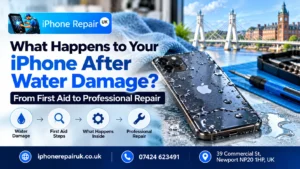
The sinking feeling of fishing an iPhone out of a sink, a bath, a toilet, a puddle, or a pint glass is a specific kind of panic. The screen is still on. It still looks fine. You dry it off, test it, and tell yourself it was lucky. Then, three days or three weeks later, Face ID stops recognising you, the microphone goes muffled, the battery drains in hours, or the phone simply refuses to switch on.
That gap between the splash and the symptoms is why iPhone water damage repair is one of the most urgent and most misunderstood services at our Newport workshop. The damage is not the water itself. It is what the water sets in motion inside the device, which can take days or weeks to show.
This guide walks through exactly what happens to your iPhone after water damage, the first-aid steps that genuinely help (and the ones that make things worse), the symptoms that tell you corrosion has begun inside the chassis, and when to bring the device to our Newport workshop for professional iPhone liquid damage repair. We have been handling water-damaged iPhones at 39 Commercial Street since 2016, and the sooner we see the device, the better the chance of a full recovery. If your phone is wet right now and you need the first-ten-minutes checklist, our quick-reference guide on what to do if your iPhone has been dropped in water in Newport covers the immediate steps.
Why Water Resistance Is Not the Reassurance You Think It Is
Every iPhone from the iPhone 7 onward carries some form of IP rating for water and dust resistance. By the time you reach the iPhone 12 and newer, that rating is IP68, which Apple describes as resistant to submersion in up to six metres of fresh water for up to thirty minutes. On paper, that sounds like a device you could drop in a bath without worry.
In practice, those ratings describe a brand-new iPhone, tested in laboratory conditions, in fresh water, at specific depths, for specific durations. They say nothing about:
- A phone that is two or three years old, with aged seals.
- A phone with a hairline screen crack, a chipped back glass, or any previous repair.
- Any liquid other than fresh water (so, not sea water, pool water, soap, shampoo, coffee, beer, cola, wine, or any sweet or acidic drink).
- Pressurised water from a tap, a shower, or a wave at the beach.
- Steam, which can carry moisture past seals designed only for liquid water.
Water resistance also degrades over time. Every drop, every pocket of trapped heat, every repair done without fresh adhesive weakens the seal. By the time an iPhone is a couple of years old and has lived a normal life, its IP rating is best treated as a safety net, not a guarantee. Apple’s own warranty specifically excludes liquid damage for exactly this reason.
So when the splash happens, the right response is to assume liquid has reached the inside of the device, and to act as if the seal failed, even if the phone appears to still work. Our wider piece on protecting your iPhone and iPad from accidental damage over the summer covers prevention habits worth building before the next close call.
What Happens Inside Your iPhone When Liquid Gets In
To understand why speed matters, it helps to know what is happening in the first minutes after liquid enters the chassis. Inside the sealed body of a modern iPhone, there are:
- The logic board, carrying hundreds of microscopic components and solder joints.
- The battery, with exposed contact points at its connector.
- The display cables and Face ID flex connectors at the top.
- The charging port and the audio flex at the bottom.
- The camera module, with multiple sensitive sensors.
- The speaker and microphone openings, which are the easiest paths for liquid to enter.
Water alone, if it were perfectly pure, would not do huge damage. But the water in your sink, bath, or kitchen is not pure. It carries dissolved minerals, salts, soap residue, and, in the case of drinks, sugars and acids. The moment any of this reaches live circuitry inside a powered iPhone, three things start happening at once:
- Electrolysis. The ions in the water allow current to flow in paths it was never meant to. Those unintended paths can short individual components out, sometimes permanently, within seconds.
- Corrosion. The water begins to oxidise the exposed metal contacts. This process starts within minutes and continues long after the water itself has evaporated. Green and white deposits begin to form on connectors, pads, and solder joints.
- Adhesive degradation. The glue holding the display and seals in place softens on contact with liquid, which further compromises the water resistance of the chassis and allows more liquid in on the next incident.
The worst damage from a water incident is almost always the delayed damage. A phone that was recovered quickly, dried on the outside, and found to still work can seem to come through unscathed. But the corrosion inside continues to spread for days and weeks, slowly eating through solder joints and connector pads, until a critical path finally fails and a symptom appears.
That is why iPhones brought to us in the first twenty-four hours after a liquid incident have the highest recovery rate, and iPhones brought in a week or a month later are often beyond saving. The water is long gone. The damage it started is not.
First Aid for a Wet iPhone: What to Do in the First Ten Minutes
If your iPhone has just been in contact with liquid, do these things in order. The sequence matters.
1. Get it out of the liquid as fast as possible
Obvious, but every second matters, especially in salt water or sugary drinks where the corrosion starts faster.
2. Power the phone off immediately
Do not check if it still works. Do not open an app. Do not take a photo of the damage. Powering down removes the current from the circuitry and dramatically reduces the chance of short circuits and electrolysis.
On modern iPhones: hold the side button and either volume button until the slider appears, then slide to power off.
3. Remove the case, the SIM tray, and anything else trapping moisture
Pop out the SIM tray and leave it out. Remove any case. This opens up small vents for moisture to escape.
4. Dry the exterior with a lint-free cloth
Hold the phone with the charging port facing down and gently blot any visible water. Light taps against your palm can help liquid work its way out of the port and speaker openings. Do not shake the phone aggressively.
5. Do not plug in the charger
This is the single most important rule. Plugging in a wet phone, or a phone with any moisture inside the charging port, is the fastest way to turn a recoverable device into a dead one. Live current flowing through wet circuitry causes short circuits almost instantly. Wait at least twenty-four to forty-eight hours before even considering a charger, and ideally bring the device to us first.
6. Do not use heat
No hair dryers. No radiators. No ovens. No pointing it at the sun. Heat drives moisture deeper into the phone, softens the internal adhesives, and can damage the battery. The battery itself is a lithium-ion cell. Heating it is a serious safety risk.
7. Do not put the phone in rice
Rice is the single most persistent myth in iPhone first aid, and it does not work. Rice absorbs humidity from the air around the phone, but it cannot pull water out of a sealed chassis. What it can do is shed starch dust into your charging port, speaker, and microphone openings, creating new problems. Apple themselves have specifically advised against the rice trick.
8. Set the phone upright in a dry, well-ventilated room
A cool, dry windowsill (not in direct sunlight) or a shelf near a fan is ideal. If you happen to have silica gel sachets, sealing the phone in a container with several of them is more effective than any kitchen remedy.
9. Bring it to our workshop as soon as you can
Even if the phone appears to be working after drying, the damage inside has already started. A professional ultrasonic clean and inspection within the first day or two of the incident is the difference between a straightforward recovery and a device slowly dying from corrosion over the following weeks.
What You Should Never Do With a Water-Damaged iPhone
A quick summary of the actions that turn survivable incidents into unrecoverable ones:
- Do not power it on to check if it works.
- Do not plug it in to charge.
- Do not press the buttons to see what happens.
- Do not shake it violently or blow into the ports.
- Do not use a hair dryer or any heat source.
- Do not place it on a radiator or in a warm oven.
- Do not put it in rice.
- Do not open the phone yourself unless you are trained and have the right tools.
- Do not wait and see. The clock is ticking even if the phone looks fine.
iPhone Water Damage Symptoms to Watch For
Not every liquid incident produces instant symptoms. The signs that water or liquid has reached the inside of the phone and started causing damage can appear immediately, or they can take days and weeks to develop. Watch for any of these:
Immediate symptoms
- The phone will not switch on at all.
- The screen stays black with the charging symbol missing.
- A “liquid detected in Lightning connector” or “liquid detected in USB-C connector” warning appears.
- Rapid overheating while idle.
- The screen displays unusual colours, lines, dark patches, or distorted areas.
Delayed symptoms (days or weeks later)
- Face ID stops recognising you.
- Microphone cuts out on calls, or callers report muffled audio.
- Speaker sounds like it is underwater or crackles at higher volume.
- Front or rear camera develops condensation behind the lens.
- Rapid battery drain that was not there before.
- Charging only works at certain angles, or stops and starts.
- Random restarts or boot loops.
- Wi-Fi, Bluetooth, or cellular reception becomes weak or unreliable.
- Buttons feel sticky, mushy, or stop clicking consistently.
- The phone runs noticeably warm when idle.
How to check the Liquid Contact Indicator
Every modern iPhone has a Liquid Contact Indicator (LCI) hidden inside the SIM tray slot. On most models from the iPhone 5 onward, you can see it by removing the SIM tray and shining a torch into the slot. A silver or white indicator means no liquid contact detected. A pink or red indicator means liquid has triggered it.
The LCI only tells you whether liquid has been detected. It does not tell you how much, where it reached inside the device, or how much damage has been caused. A triggered LCI is also what Apple’s own technicians look for to deny warranty coverage, which is one of the reasons independent repair matters for water-damaged iPhones.
What Apple Does With a Water-Damaged iPhone
If you take a water-damaged iPhone to Apple, their policy is simple and inflexible. Liquid damage is excluded from the standard Apple limited warranty. If their diagnostic equipment detects a tripped LCI, the device is almost always classified as out-of-warranty, and the only option offered is a full replacement at the out-of-warranty price for your model.
Apple’s own technicians generally do not open and clean a water-damaged iPhone component by component. The service is a full device replacement, which is often expensive enough that owners simply upgrade instead.
Independent repair takes a different approach. The actual damage from a water incident is usually isolated: a damaged flex connector, a corroded charging port, a specific area of the logic board that needs cleaning. Replacing or repairing only what has actually failed is almost always much cheaper than a full device swap, and in most cases it keeps your original phone, your original data, and your original storage intact.
How Our Newport Workshop Approaches iPhone Water Damage Repair
Every water-damaged iPhone that arrives at 39 Commercial Street goes through a careful, structured recovery process:
1. Immediate assessment and battery disconnect
The first step is to open the device under workshop conditions and disconnect the battery. Removing power stops any ongoing electrolysis and corrosion acceleration. This is the single most important step for any phone that has had liquid exposure.
2. Visual inspection under magnification
The logic board, flex connectors, battery contacts, charging port, speaker, microphone, camera modules, and Face ID assembly are all inspected under magnification for signs of corrosion, mineral deposits, burnt components, or damaged solder joints.
3. Ultrasonic cleaning
The logic board is removed from the chassis and placed in an ultrasonic cleaning bath with a specialist electronic-safe solution. The ultrasonic process creates microscopic bubbles that reach into every corner of the board, including underneath chip shields where no brush could reach, and strips corrosion, salt, sugar, and mineral residue away.
4. Controlled drying
After cleaning, the components are dried under controlled conditions. Rushing the drying stage is one of the most common mistakes in water damage repair, which is why we never offer a thirty-minute express water damage service. The components need time to dry completely before they can be safely tested.
5. Component-level inspection and replacement
Any component that was permanently damaged by the liquid or the resulting corrosion is identified and either repaired or replaced. Common casualties include the battery (if moisture reached the connector), the charging port (first point of contact for most spills), the display (if liquid got under the glass), and specific flex connectors.
6. Reassembly with fresh seals
The chassis is reassembled with new adhesive around the display, restoring as much of the original water resistance as possible. The device is tested through a full function check: screen, touch, Face ID, speaker, microphone, cameras, charging, buttons, sensors, Wi-Fi, Bluetooth, and cellular.
7. Transparent reporting
You get a clear report of what was done, which parts (if any) were replaced, and the warranty on each. If any residual issue could not be fully resolved, we tell you honestly before you pay anything.
Which iPhone Parts Are Most Affected by Water Damage
Water damage rarely affects the whole device evenly. The damage follows gravity, surface tension, and the easiest paths through the chassis, which means certain components are consistently at higher risk:
Charging port
The charging port is at the bottom of the phone, which means it is usually the first component to sit in liquid when the device is dropped. Expect corroded pins, intermittent charging, and persistent “liquid detected” warnings. Our iPhone charging port replacement service handles port replacement where cleaning is not enough, and the companion article on why an iPhone charging port stops working covers the specific symptoms.
Speaker and microphone
The speaker grilles are large openings in the chassis, which makes them an easy entry point for liquid. Muffled audio, no sound from the earpiece, or callers unable to hear you on the microphone are classic water damage symptoms. Our breakdown of why an iPhone speaker stops working in Newport covers how to tell an earpiece fault from a bottom speaker fault.
Battery
Water that reaches the battery contacts can corrode the connector or, in worse cases, cause the cell to swell. A swollen battery is a safety issue. Stop using the device, do not charge it, and bring it in. Our iPhone battery replacement service is covered under the same free diagnostic and 12-month warranty.
Display
Moisture reaching the display cables or the LCD/OLED panel itself causes dark spots, discolouration, dead touch zones, and in some cases a completely black screen. Early intervention can sometimes save the display. Delayed intervention almost always ends with an iPhone screen repair being needed.
Face ID assembly
The Face ID flex, dot projector, and infrared camera all sit at the top of the phone. Moisture reaching this area can disable Face ID permanently, as the array is cryptographically paired to the logic board and cannot be freely swapped. If Face ID was fine before the splash and stopped working afterwards, our guide on Face ID not working after screen repair in Newport covers the overlapping failure modes we see.
Rear and front cameras
Water can enter the camera modules through small gaps and cause condensation behind the lens, autofocus failure, or complete camera module failure. Our iPhone camera lens repair service handles rear camera glass replacement and full module replacement where needed, and the article on blurry iPhone cameras and cracked lenses in Newport covers how to tell camera water damage apart from other camera faults.
Logic board
The worst-case scenario is corrosion reaching the main logic board. This is where ultrasonic cleaning and component-level repair matter most, and where the time elapsed between the incident and the repair makes the biggest difference.
When a Water-Damaged iPhone Is Beyond Economical Repair
Honesty matters here. Not every water-damaged iPhone can be saved, and we would rather tell you that straight than take money for a repair that will not hold.
A device is likely beyond economical repair when:
- The logic board has suffered a major short circuit that has burnt through traces.
- Corrosion has spread across multiple critical components over an extended period.
- The repair cost would exceed roughly seventy percent of the device’s current second-hand value.
- The customer waited several weeks before seeking repair, allowing corrosion to spread.
In those cases, we will tell you clearly, charge nothing for the diagnostic, and where possible help you recover data from the device before it is retired. If you are weighing up whether a repair makes sense at all, our repair or replace iPhone in Newport guide walks through the usual tipping points.
iPhone Water Damage: Prevention for Next Time
Nobody plans to drop a phone in water. But once you have been through it once, a few habits are worth building:
- Treat the IP rating as a safety net, not a licence to swim with the phone.
- Repair any cracked screen or chipped back glass promptly. These are the main entry points for liquid in a sealed-looking phone.
- Keep the phone out of the bathroom when the shower is running.
- Keep drinks away from the edge of desks and tables.
- Avoid using the phone near pool water or at the beach without a waterproof pouch.
- If a case promises added water protection, treat the claim with scepticism unless it is specifically rated and tested.
Frequently Asked Questions About iPhone Water Damage Repair
My iPhone was in water for only a few seconds. Is it really at risk?
Yes, potentially. Modern iPhones carry IP ratings that cover brief fresh-water exposure on new devices, but corrosion can begin from very small amounts of liquid, especially if the device is older, cracked, or if the liquid was not plain water. The safest approach is always a professional inspection within the first day or two.
Can you repair an iPhone that was dropped in salt water?
Yes, though salt water is much more aggressive than fresh water and the window for a successful recovery is shorter. Bring the device in as soon as possible. Do not try to rinse it yourself, as that often spreads liquid to areas it had not reached.
My phone was dropped in water a week ago and is still working. Do I need a repair?
We would strongly recommend at least a free diagnostic. Delayed symptoms of water damage can appear up to several weeks after the incident, and corrosion continues to spread the whole time. A single ultrasonic clean before symptoms appear can save a device that would otherwise fail later.
How much does iPhone water damage repair cost?
The honest answer is that it depends on what the water damaged. A simple inspection and cleaning is at the lower end. A charging port replacement, battery replacement, or display replacement adds cost. Logic board component-level work is more involved. We provide a free diagnostic and a transparent fixed quote before any work begins, so you always know the price before you commit.
Will my data be safe during a water damage repair?
In most cases, yes. We do not need to access your personal data to clean the hardware and replace components. However, water damage is unpredictable, and we always recommend backing up to iCloud or a computer before any liquid incident becomes a repair. Even a visibly working but water-exposed iPhone should be backed up at the first opportunity.
Does the Liquid Contact Indicator being triggered mean my phone is broken?
Not necessarily. The LCI only tells you that liquid reached that area of the phone. It says nothing about how much, where it went, or how much damage has been caused. A triggered LCI combined with no symptoms is still a reason to come in for a cleaning.
How long does iPhone water damage repair take?
Our standard liquid damage protocol takes between twenty-four and forty-eight hours, because the drying stage after ultrasonic cleaning cannot be rushed. In cases where only a specific component (like the port or the battery) needs replacing after cleaning, we may be able to turn the device around sooner.
Visit Our Newport Workshop for a Free Water Damage Diagnostic
If your iPhone has been in contact with any liquid, no matter how briefly, bring it to our workshop at 39 Commercial Street, Newport NP20 1HP, as soon as you can. Our opening hours are Monday to Saturday 9am to 6pm and Sunday 11am to 4pm. The initial diagnostic is free and you are under no obligation to proceed with a repair.
You can reach us on 01633 549755, by WhatsApp on 07424 623491, or by email at info@iphonerepairuk.co.uk, or request a quote through our contact page. Our iPhone water damage repair service page has more detail on exactly what we offer, and the full iPhone and iPad services overview covers our wider range of repairs.
Water-damaged iPhones are survivable far more often than people realise, especially when the first repair step happens within the first day or two of the incident. Doing nothing, or sealing the phone in a bag of rice and hoping, almost always costs more in the end than a timely professional iPhone liquid damage repair in Newport. If you are not sure whether your situation needs a repair, come in anyway. The diagnostic costs nothing, and the answer is always better known than guessed.