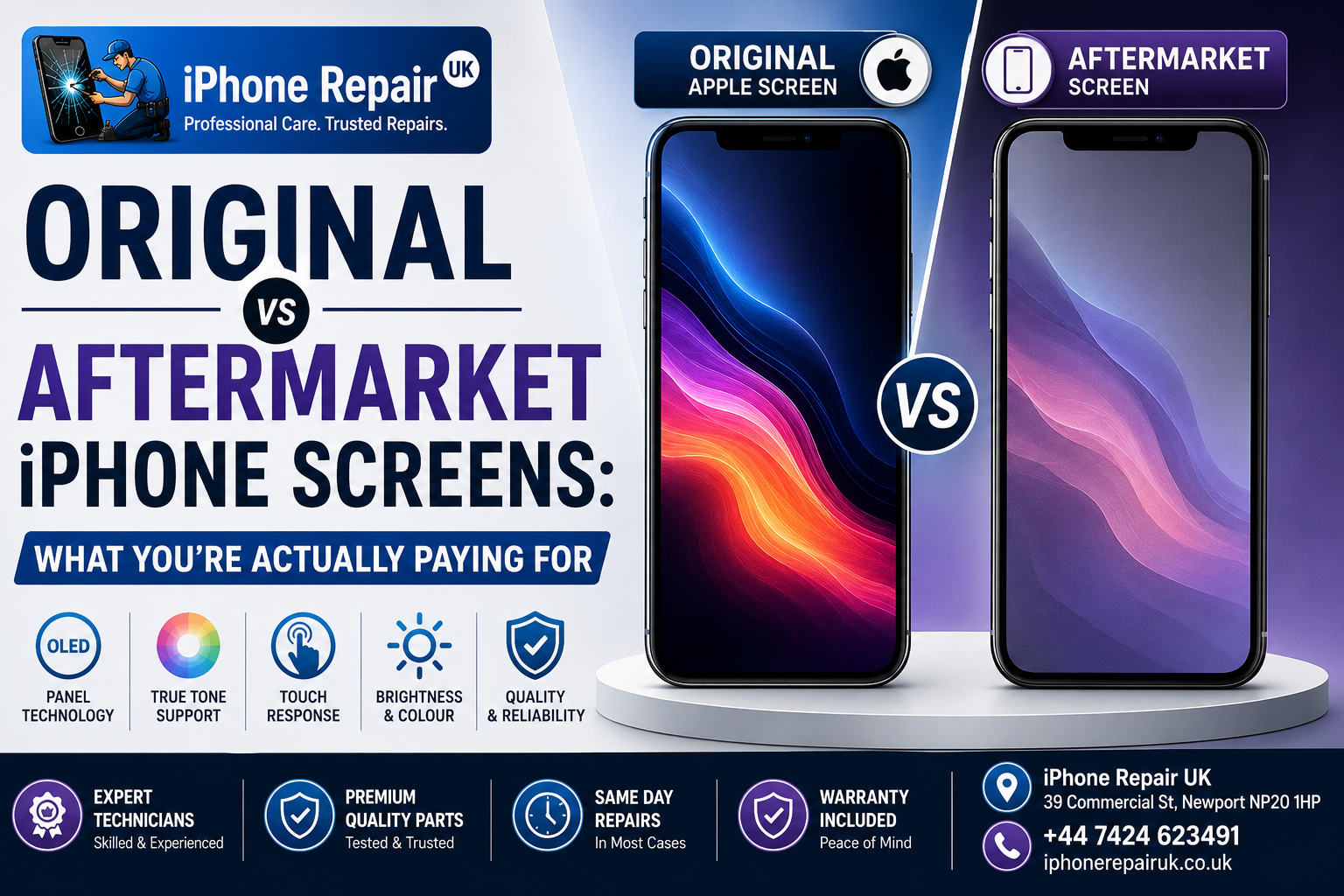
Almost every iPhone repair quote comes with a choice. Original, sometimes called premium or OEM. Or aftermarket, sometimes called compatible or third-party. The price gap between the two options can be substantial, often 40% to 65% depending on the model, and the sales pitch on either side is usually thin on technical detail. So what actually separates them?
The honest answer is: quite a lot, and quite little, depending on which specific aftermarket panel you get. There is no single aftermarket category. There is a spectrum of quality that runs from displays almost indistinguishable from Apple’s original panels down to LCD copies that will disappoint you within a week. This guide breaks down the entire iPhone screen quality difference in objective terms, covering panel technology, True Tone calibration, digitizer sensitivity, colour accuracy, and screen brightness uniformity. By the end, you should be able to walk into any repair shop and ask the right questions rather than trusting the label on the invoice.
As an Apple-only workshop in Newport, we fit both original and aftermarket screens every week, and we have strong technical opinions about which options make sense for which iPhones. Those opinions are threaded through this article where relevant, but the bulk of it is objective parts-quality analysis.
What OEM and Aftermarket Actually Mean
Some vocabulary first, because the language around iPhone screens is genuinely confusing. Different shops use the same words to mean different things.
An original Apple display is a panel manufactured by Apple’s own display suppliers — primarily Samsung Display and LG Display — to Apple’s exact specifications, and either sold through Apple’s Self Service Repair channel, sourced from a manufacturer-authorised distributor, or pulled from a working donor iPhone and refurbished to like-new standard. These panels contain the same OLED substrate, driver ICs, and calibration data as the screen your iPhone shipped with.
An OEM display — technically meaning Original Equipment Manufacturer — refers to the factory that makes the part. In practice, OEM is used loosely by repair shops to mean either a genuine Apple part or a panel from the same production line that did not meet Apple’s grading standards. The word is not a reliable quality indicator on its own.
An aftermarket display is any panel not sourced through Apple’s supply chain. This is the broadest category and contains three quite different sub-tiers covered in the next section.
A refurbished display is an originally genuine Apple panel that has been repaired, typically by replacing the outer glass or the digitizer while preserving the OLED itself. Quality depends heavily on the refurbisher’s process and tooling.
If a shop describes a panel as genuine or original without specifying whether it is new, pulled, or refurbished, ask which of the three it is. All can be acceptable; the difference matters for pricing and warranty expectations.
The Three Tiers of Aftermarket iPhone Displays
Not all aftermarket panels are the same, and this is where most confusion begins. There are three distinct panel technologies used in aftermarket iPhone screen production, and the difference between them is far larger than most customers realise.
Tier 1: Soft OLED (Aftermarket)
Soft OLED is the same underlying display technology Apple uses. The panel is a thin, flexible plastic substrate that can bend slightly without damage. When fitted correctly, a good aftermarket soft OLED screen is visually and functionally very close to the original. Colour reproduction is strong. Blacks are true black rather than dark grey. The panel sits flush in the frame. Touch response feels correct. This is the aftermarket tier we fit at iPhone Repair UK when a customer chooses the aftermarket route.
Tier 2: Hard OLED (Aftermarket)
Hard OLED uses OLED technology but on a rigid glass substrate rather than a flexible one. The panel technology sounds similar to soft OLED, but the practical differences are substantial. Hard OLED is thicker, less durable under impact, more prone to cracking, and can sit slightly proud of the frame rather than flush. Some hard OLED panels also draw more current, subtly reducing battery life. Reputable Apple specialists avoid hard OLED in favour of soft OLED wherever both are available.
Tier 3: LCD (Aftermarket)
LCD panels are the cheapest aftermarket option and, on iPhone models designed for OLED, the most disappointing. LCD requires a constant backlight, which increases battery drain. Blacks are washed out to grey. Contrast is noticeably lower. The overall assembly is thicker and heavier than the original, which produces visible fitment differences. On any iPhone from the iPhone X onwards that originally shipped with OLED, an LCD aftermarket screen is a clear step down in daily experience. LCD aftermarket screens have their place on iPhones that originally shipped with LCD — iPhone 8, iPhone SE 2nd gen, iPhone SE 3rd gen, iPhone 11, iPhone XR — where an equivalent-technology aftermarket LCD can be a reasonable choice.
The pricing structure of a repair shop tells you a lot. A quote that seems suspiciously cheap for an OLED-generation iPhone almost certainly means a hard OLED or LCD panel is being fitted. That is not necessarily wrong for every customer, but you should know what you are getting.
What an Original Apple Display Includes
Apple’s own documentation is unusually clear on this point. A genuine Apple iPhone display is engineered together with iOS software, and specific features rely on data written into the display itself during manufacturing. Those features include Multi-Touch calibration across the full surface of the screen, True Tone auto white balance which reads ambient colour temperature from a separate sensor and adjusts the panel’s colour output to match, Night Shift warm-tone shifting, Haptic Touch feedback tuned to the specific panel and Taptic Engine, display colour calibration matched to the factory reference under a range of brightness levels, ambient light sensor coordination for auto-brightness that behaves smoothly rather than in visible jumps, and peak brightness performance including outdoor boost and HDR peak levels on Pro models.
Every one of these features depends on calibration data that iOS reads from the display module itself. When a screen is replaced, that data has to be present in the new panel or transferred to it. If neither happens, iOS knows the panel is not the original one and behaves accordingly.
True Tone: How the Calibration Actually Works
True Tone is the feature most affected by screen replacement, and understanding why it works the way it does explains a lot about aftermarket screen quality.
Each original iPhone display carries a small IC that stores calibration data. This data was written at the factory and describes the panel’s colour response, backlight behaviour, and reference white points at various brightness levels. iOS reads this data continuously to feed the True Tone algorithm, which combines it with the reading from the ambient light and colour sensor above the screen. When the two agree, True Tone works. If iOS cannot read valid calibration data from the panel, the True Tone toggle disappears from Settings or greys out entirely.
There are three common outcomes after a screen replacement. First, True Tone works out of the box — the technician either fitted a genuine Apple panel that already had its own calibration data written, or used a screen with a pre-programmed True Tone chip, and some higher-end aftermarket panels ship with fully copied calibration data included. Second, True Tone works after a data transfer — the original screen is intact enough for a technician to read its calibration data with a programmer tool and write that data onto the new panel, which is a routine job in a well-equipped workshop but requires the correct hardware and works on iPhone X and later. Third, True Tone is lost — neither of the above happened, the toggle disappears from Settings, the screen still works, but auto-adaptive white balancing is gone.
Whether True Tone is restored is a fair test of a shop’s technical depth. A workshop that fits screens without preserving True Tone is skipping a step that any Apple specialist should include. Iterative Apple software updates have loosened some restrictions on aftermarket parts pairing in recent iOS releases, but the underlying calibration data still needs to be present.
Touch, Digitizer Sensitivity, and Haptic Feedback
The screen is not one component but two: an OLED or LCD panel that produces the image, and a digitizer that reads your finger. Both need to be right for the phone to feel correct.
On a genuine Apple display, the digitizer is calibrated to the panel and to the phone’s main logic board. Multi-Touch resolution, edge accuracy, and palm rejection all rely on this calibration. On a poor aftermarket panel, several common issues appear: missed screen touches on parts of the display often near the edges or in specific zones; ghost touches where iOS registers taps you did not make, which is more common as aftermarket panels age or when temperature swings occur; palm rejection failures during typing or video calls causing accidental interactions; reduced palm-touch registration during phone calls where the display fails to switch off when held to the ear; and delayed touch response where taps register but with visible lag.
A well-made soft OLED aftermarket panel with a properly calibrated digitizer should be indistinguishable in daily use from an original. A poorly made one produces most of the problems above within days or weeks.
Haptic Touch uses the Taptic Engine below the display to simulate a click. On genuine displays, the response is precisely tuned. On aftermarket panels, haptic feedback can feel slightly muted, mistimed, or absent depending on how well the panel and its flex cables integrate with the phone’s motion feedback system.
Colour Accuracy, Brightness, and Screen Brightness Uniformity
Colour accuracy is the area where the difference between panel tiers is easiest to see side by side and hardest to notice in isolation. Most owners of a well-fitted aftermarket soft OLED screen will not notice a difference during ordinary use. A designer editing photos or a videographer grading colour will notice within seconds.
The specific differences to watch for include white point drift — genuine Apple panels produce a neutral white that matches the phone’s reference, while aftermarket panels sometimes lean slightly cool or slightly warm even at maximum brightness. Reduced peak brightness is another factor — original OLED panels on Pro models can push very high peak brightness for HDR content and outdoor visibility, while aftermarket panels typically cannot match this ceiling though they may still exceed the sustained brightness needed for normal indoor use. Brightness uniformity issues appear in some aftermarket panels as a subtle darker band along one edge or a lighter patch in the corner. Colour banding in poorly calibrated panels shows visible steps in gradients like blue sky or dark backgrounds where a genuine panel produces smooth transitions. Reduced HDR performance on Pro models occurs because the HDR peak brightness feature relies on genuine driver ICs and calibration, and aftermarket panels often clip highlights differently.
Panel quality has improved significantly in recent years. A good soft OLED aftermarket screen fitted in 2026 is closer to genuine than the equivalent panel from three or four years ago. But the top tier still belongs to Apple.
Comparison: Original vs Aftermarket Soft OLED vs Hard OLED vs LCD
Here is the full feature-by-feature breakdown so you can see the trade-offs at a glance. Original Apple panels use Apple-spec OLED from Apple’s own suppliers, match factory spec in thickness, fit perfectly flush in the frame, deliver true black, factory-calibrated colour, True Tone out of the box, full peak brightness, full HDR performance, precisely tuned haptics, no battery impact, and factory standard durability. Aftermarket soft OLED uses the same underlying technology from a third-party manufacturer, matches the original in thickness, fits flush in the frame, delivers very good blacks, very close colour accuracy, True Tone with a data transfer, a slightly lower brightness ceiling, reduced HDR performance, very close haptic feel, minimal battery impact, and comparable drop durability. Aftermarket hard OLED uses OLED on a rigid substrate, is slightly thicker, may sit slightly proud of the frame, delivers good but variable colour, sometimes supports True Tone, a lower brightness ceiling, notably higher battery drain, slightly muted haptics, and is more brittle under impact. Aftermarket LCD is the thickest and heaviest option, sits visibly proud on OLED-generation phones, delivers grey rather than true black, noticeably different colour, rarely supports True Tone, the lowest brightness ceiling, no equivalent HDR, muted or absent haptics, and notably higher battery drain.
The Parts and Service History status is worth flagging separately. On iPhone 11 and later, iOS 18 and iOS 26 log any display replacement and show a status in Settings, General, About, Parts and Service History. A genuine Apple part properly initialised shows as Genuine. An aftermarket part or a genuine part not paired correctly shows as Unknown. For customers who plan to sell or trade in the device later, this can affect resale value.
The Cost Difference: What You Save and What You Give Up
Money is why most owners consider aftermarket in the first place, and the maths is genuinely favourable if you choose the right tier. Typical savings against a genuine repair on a modern iPhone Pro model range from about 40% to 65% when the aftermarket panel is a quality soft OLED, and higher still with meaningful quality trade-offs when hard OLED or LCD is used.
What you save in cash, you spend elsewhere. Resale value on iPhone 11 and later is affected because Parts and Service History will flag the display as Unknown. True Tone may be lost unless the shop has done the data transfer step properly — any Apple specialist worth booking should offer this as standard but many high-street shops do not. Some peak brightness is sacrificed in edge cases like outdoor use in direct sunlight or HDR video playback. Long-term water resistance can be affected if the shop uses inferior adhesive gaskets, though this is not an aftermarket-specific issue but correlates with cheaper repair packages. Warranty length can vary since less scrupulous shops offer shorter cover on aftermarket screens.
For a full breakdown of what typical repair costs look like across screen tiers, our full guide to cracked iPhone screen repair costs in Newport walks through model-by-model pricing brackets and what drives the difference.
Which Option Makes Sense for Which User
This is the practical question, and the answer depends on how you use your phone and how long you plan to keep it.
Genuine is worth the extra cost when you are on a Pro model where HDR and peak brightness materially affect how you use the phone such as for photo editing, video work, or outdoor use. It also makes sense when you plan to sell or trade in the device within twelve months, when you have AppleCare+ and the repair is subsidised, or when you value having a phone that is functionally identical to when it left the factory and the additional spend is not painful.
Aftermarket soft OLED is worth choosing when the phone is your primary daily driver but not a professional creative tool, when you plan to keep the device for another year or two but not indefinitely, when the genuine repair cost approaches the cost of a second-hand replacement device, or when the device is out of AppleCare+ coverage.
Aftermarket hard OLED or LCD only makes sense when the device is a spare or secondary phone, when you are minimising spend on an old device before an imminent upgrade, or when the device originally shipped with LCD such as the iPhone SE, iPhone 11, or iPhone XR and you are replacing like for like.
On any Pro model less than three years old, soft OLED is the aftermarket floor we would recommend. Hard OLED and LCD produce visible daily compromises that we do not think are worth the additional saving on those devices.
What to Ask Your Repair Shop Before Booking
The bar for a competent Apple screen repair is not high, but it is specific. Ask the shop these questions before you commit.
Which panel technology are you fitting — soft OLED, hard OLED, LCD, or genuine? OEM is not an answer. Will True Tone still work after the repair, and if yes, how is it being preserved — data transfer with a programmer or a pre-programmed panel? Is the water-resistance gasket being replaced? On any iPhone from the iPhone 7 onwards, the display seal contributes to the phone’s IP rating. What warranty does the panel carry — twelve months is standard for a reputable shop. Will Face ID still work? The Face ID module is separate from the display but its flex cable runs across the display bay and is easily damaged by careless technicians. What happens if you are not happy with the result? Rework policy tells you a lot about the shop’s confidence in their work.
For a fuller checklist of what separates a good repair shop from a mediocre one, we have written a dedicated guide on questions worth asking when choosing a reliable iPhone repair service. And if you have already cracked your screen and are trying to decide whether to bring it in immediately or wait, our guide on what to do immediately after cracking your iPhone screen covers the steps that reduce further damage.
What Happens During a Professional iPhone Screen Repair
A well-run iPhone screen replacement takes between 30 and 90 minutes depending on the model. Newer models with Face ID modules and multiple flex cables take longer than older LCD-generation phones. The steps that separate a professional repair from a rushed one are battery disconnection first to prevent short circuits, Face ID module transfer on iPhone X and later where the components must be moved from the old display to the new one and damaging the flex cable permanently disables Face ID, ambient light and colour sensor transfer on models where these are integrated into the display assembly, True Tone data transfer using the correct programmer if the original panel is intact, panel bonding to the frame with fresh adhesive strips since reusing old adhesive compromises water resistance, post-repair testing covering touch response across the whole screen plus colour, brightness, True Tone, Face ID, and haptic feedback, and Repair Assistant or part initialisation on iPhone 15 and later so Parts and Service History records the repair correctly.
If a shop cannot describe this process, they are likely skipping steps. For a broader picture of repair timings and pricing in the local market, our guide to iPhone repair costs and turnaround times in Newport gives a practical overview.
Booking a Professional iPhone Screen Repair in Newport
iPhone Repair UK is an Apple-only workshop at 39 Commercial Street in Newport, a short walk from Friars Walk, John Frost Square, and Newport train station. Because we work exclusively on iPhone, iPad, MacBook, and Apple Watch, our technicians see multiple screen replacements per day rather than one every few weeks. That volume matters for the fiddly steps, particularly Face ID transfer and True Tone programming, where practice is the difference between a clean repair and a compromised one.
Every screen job starts with a free diagnostic. If the screen needs replacing, we quote a fixed price up front, offer both genuine and quality soft OLED aftermarket options where available, and explain the trade-offs honestly. Payment is on completion, not before. Most screen repairs are completed the same day, often within an hour of drop-off, so you can carry on around Kingsway or Commercial Street while we get on with it.
To book a professional iPhone screen repair or get a written quote before you commit, call 01633 549755, WhatsApp 07424 623491, or drop into our workshop at 39 Commercial Street, Newport, NP20 1HP. Our opening hours are Monday to Saturday 9am to 6pm, and Sunday 11am to 4pm. You can also get a written screen repair quote from our Newport workshop via the contact page if you want to check availability first.
Frequently Asked Questions
Is an Aftermarket iPhone Screen Worth It?
A quality soft OLED aftermarket screen is worth it when the genuine repair cost is disproportionate to the phone’s remaining value. On a two-year-old iPhone 13 or 14, soft OLED is a sensible choice for most owners. On a six-month-old iPhone 17 Pro, genuine usually makes more sense.
Will True Tone Work With an Aftermarket iPhone Screen?
Yes, if the shop transfers the calibration data from your original panel to the new one using a programmer, or fits a pre-programmed aftermarket screen with the correct data. If the shop skips this step, True Tone will not appear in Settings after the repair.
Will an Aftermarket Screen Damage My iPhone?
Not in normal use. A well-fitted quality panel is safe. The wider risks are from cheap panels with poorly matched thickness which can stress the frame, or from careless fitment that damages the Face ID cable, battery, or logic board flex connectors.
Does the Parts and Service History Flag an Aftermarket Screen?
Yes, on iPhone 11 and later. Settings, General, About, Parts and Service History will show Unknown next to Display after any non-genuine repair. This does not affect how the phone works, but can affect resale value.
What Is the Difference Between Soft OLED and Hard OLED Aftermarket Screens?
Soft OLED uses a flexible plastic substrate, matching Apple’s original panels. Hard OLED uses a rigid glass substrate. Soft OLED is thinner, more durable in impact, and produces a better daily experience. Hard OLED is cheaper but noticeably inferior.
Can I Upgrade From an Aftermarket Screen to a Genuine One Later?
Yes. Nothing about fitting an aftermarket panel prevents a later replacement with a genuine one. The Parts and Service History log will still show a repair happened, but the new panel will show as Genuine if it is properly initialised.
Does the Warranty Cover Aftermarket Screen Repairs?
Any reputable shop offers a warranty on aftermarket work, typically twelve months against panel failure or workmanship issues. Warranty length and scope vary between shops, so ask before booking.